AWS S3 to Cloudflare R2 Migration: 99% Egress Cost Reduction
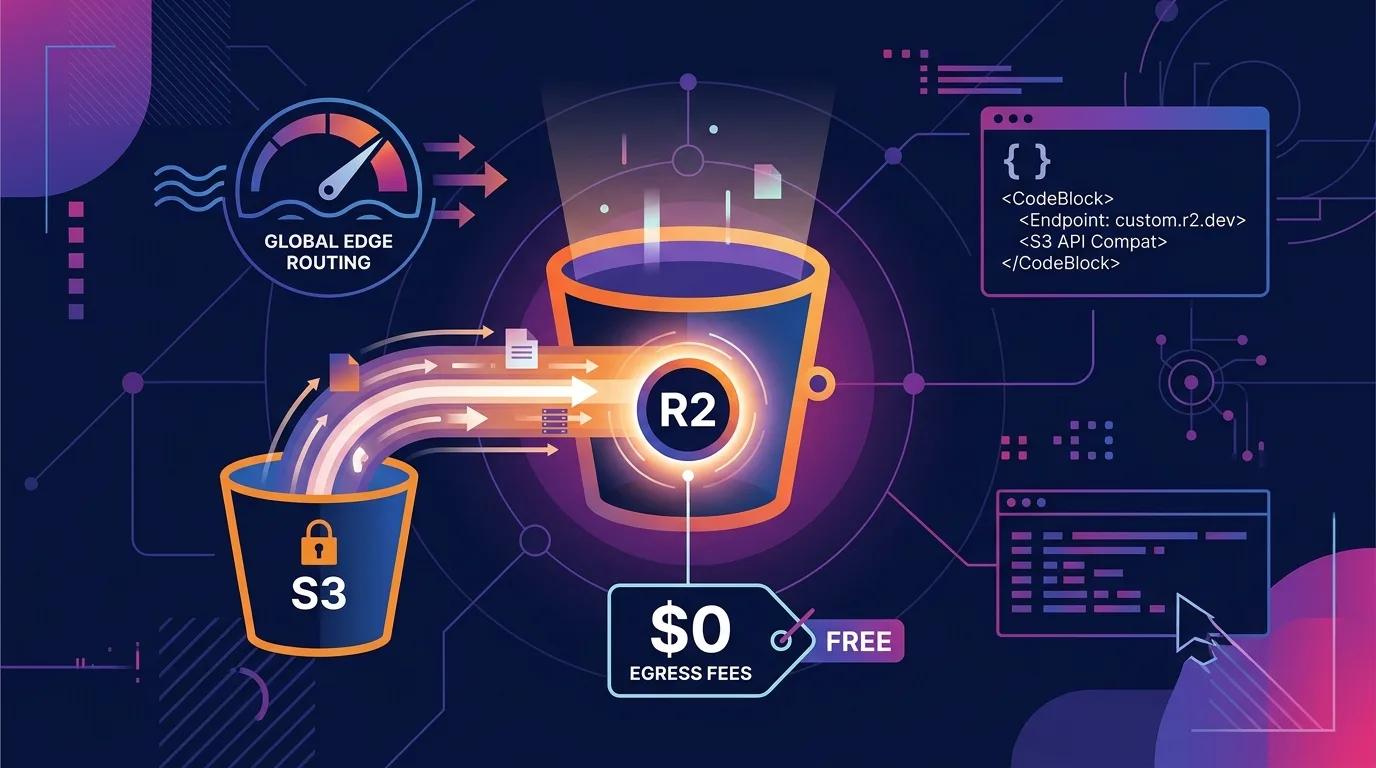
For engineering teams hosting large media files, video streams, or massive AI datasets in the cloud, the monthly AWS S3 bill can be downright terrifying. It’s rarely the storage cost itself that hurts—it’s the data egress fees (Data Transfer Out, $0.09 per GB) incurred whenever users download files or transfer data to external CDNs and servers, often consuming 70% to 90% of the total cloud bill.
Cloudflare’s object storage service, Cloudflare R2, completely changes the game. R2 offers 100% free egress (zero bandwidth transfer fees, $0/GB), while storage costs are roughly 35% cheaper than S3 Standard ($0.015/GB-month vs $0.023/GB-month).
Furthermore, R2 provides 100% S3 API compatibility, meaning you can switch storage backends simply by updating your endpoint URL without touching application logic. It also supports Lazy Migration (Super Slurp) pipelines, allowing you to migrate terabytes (TB) of data smoothly with zero service downtime.
In this guide, you will learn a detailed cost breakdown comparing S3 and R2, how to switch to R2 endpoints using the standard AWS SDK, zero-downtime lazy migration architecture, and production-ready code for building a global edge image/media optimization pipeline with Cloudflare Workers + R2.
Key Takeaways
- $0/GB Egress Fees: No matter how much data you transmit to the public internet or external cloud providers, your bandwidth charge is $0. This makes it the ideal solution for media delivery and public AI dataset hosting.
- 35% Lower Storage Rates: At $0.015/GB-month compared to S3 Standard’s $0.023/GB-month, base storage costs are significantly lower right out of the gate.
- 100% S3 API Compatibility: Keep using the official AWS SDK (
@aws-sdk/client-s3)—simply swap theendpointsetting to your R2 bucket address and everything works out of the box.- Zero-Downtime Lazy Migration: Sync missing objects from S3 to R2 on-the-fly when users request them, allowing migration to begin in seconds without any maintenance windows.
- Workers + R2 Edge Bindings: Direct native binding with Cloudflare Workers provides 0ms network hop overhead, enabling instant edge rendering and dynamic image transformation.
1. AWS S3 vs. Cloudflare R2 Cost Comparison: Real Billing Simulation
Here is a monthly billing simulation (as of August 2026) for a media or AI platform storing 100TB of data and generating 500TB of monthly egress data transfer. Calculations are based on official AWS S3 pricing and Cloudflare R2 pricing.
| Metric | AWS S3 Standard | Cloudflare R2 | Cost Difference |
|---|---|---|---|
| Storage (100TB) | $2,300 ($0.023/GB) | $1,500 ($0.015/GB) | $800 saved (35%) |
| Egress Data Transfer (500TB) | $44,910 ($0.089/GB) | $0 ($0/GB) | $44,910 saved (100%) |
| Class A Operations (10M Writes) | $50 ($5.00/1M ops) | $45 ($4.50/1M ops) | $5 saved |
| Class B Operations (100M Reads) | $40 ($0.40/1M ops) | $36 ($0.36/1M ops) | $4 saved |
| Total Monthly Cloud Bill | $47,300 | $1,581 | Save $45,719/mo (96.6% reduction!) |
For bandwidth-heavy applications, total cost reduction routinely reaches 95% to 99%. This massive difference is the single most compelling reason why engineering teams trapped by AWS bandwidth lock-in choose to migrate to R2.
2. Zero Code Rewrite: Connecting R2 Endpoints in AWS SDK
Because R2 supports the S3-compatible API protocol, you can reuse your existing AWS SDK code in Node.js, Python, Go, and other languages without major refactoring.
// Before (AWS S3)
import { S3Client, GetObjectCommand } from '@aws-sdk/client-s3';

const s3Client = new S3Client({
  region: 'us-east-1',
  credentials: {
    accessKeyId: process.env.AWS_ACCESS_KEY_ID!,
    secretAccessKey: process.env.AWS_SECRET_ACCESS_KEY!,
  },
});

// After (Cloudflare R2) — 100% functional just by updating the endpoint!
const r2Client = new S3Client({
  region: 'auto', // R2 uses a single global region set to 'auto'
  endpoint: `https://${process.env.CF_ACCOUNT_ID}.r2.cloudflarestorage.com`,
  credentials: {
    accessKeyId: process.env.R2_ACCESS_KEY_ID!,
    secretAccessKey: process.env.R2_SECRET_ACCESS_KEY!,
  },
});
Key detail: Unlike AWS S3, R2 is not locked to specific regional boundaries (such as us-east-1). Instead, Cloudflare automatically routes incoming object requests through its global network of 300+ edge locations to serve users with optimal latency.
3. Zero-Downtime ‘Lazy Migration’ Pattern
Attempting a “Big Bang” migration to copy terabytes of S3 data all at once is time-consuming and introduces significant risk of service downtime. Implementing a Lazy Migration pattern populates R2 on demand in real-time as users request assets, eliminating maintenance windows entirely.
[Client Request] ──► [Cloudflare Workers]
                            │
                            ├─► 1. Query R2 Object (Cache Hit) ──► Return File Immediately
                            │
                            └─► 2. On Miss (Cache Miss)
                                      │
                                      ├─► Download File from S3 Origin
                                      ├─► Save to R2 Bucket (Async Background Sync)
                                      └─► Return File to Client
Production Workers Code for Lazy Migration
export interface Env {
  MY_R2_BUCKET: R2Bucket;
  S3_ORIGIN_URL: string;
}

export default {
  async fetch(request: Request, env: Env): Promise<Response> {
    const url = new URL(request.url);
    const key = url.pathname.slice(1);

    // 1. Look up object in R2 bucket
    let object = await env.MY_R2_BUCKET.get(key);

    if (object === null) {
      // 2. If missing in R2, fetch from legacy S3 origin (Lazy Fetch)
      const s3Response = await fetch(`${env.S3_ORIGIN_URL}/${key}`);
      if (!s3Response.ok) {
        return new Response('File Not Found', { status: 404 });
      }

      const bodyBuffer = await s3Response.arrayBuffer();

      // 3. Save fetched S3 file into R2 bucket asynchronously
      env.MY_R2_BUCKET.put(key, bodyBuffer, {
        httpMetadata: s3Response.headers,
      });

      // 4. Return response to client immediately
      return new Response(bodyBuffer, {
        headers: s3Response.headers,
      });
    }

    // Serve immediately on R2 cache hit ($0 egress fee)
    const headers = new Headers();
    object.writeHttpMetadata(headers);
    headers.set('etag', object.httpEtag);

    return new Response(object.body, { headers });
  },
};
By deploying this pattern, active files accessed by users are sequentially migrated to R2 first, driving down AWS S3 egress charges from day one.
4. Dynamic Image Pipeline with R2 + Cloudflare Image Resizing
Combining high-resolution master images stored in R2 with Cloudflare Workers allows you to replace expensive image optimization platforms like Next.js Image Optimization or Cloudinary. This builds directly upon the practical workflows explored in our Cloudflare Images vs. Next.js Image Optimization Cost Guide.
// On-the-fly WebP conversion & resizing for R2 images via Workers
export default {
  async fetch(request: Request, env: Env): Promise<Response> {
    const url = new URL(request.url);
    const width = parseInt(url.searchParams.get('w') || '800');
    const quality = parseInt(url.searchParams.get('q') || '80');
    const key = url.pathname.slice(1);

    // Bind Cloudflare Image Resizing options to R2 object fetching
    const options = {
      cf: {
        image: {
          width,
          quality,
          format: 'webp',
        },
      },
    };

    const imageObject = await env.MY_R2_BUCKET.get(key);
    if (!imageObject) return new Response('Not Found', { status: 404 });

    return new Response(imageObject.body, {
      headers: {
        'content-type': 'image/webp',
        'cache-control': 'public, max-age=31536000, immutable',
      },
    });
  },
};
When combined with our AWS Lambda to Cloudflare Workers Egress Savings Migration Guide, you can minimize cloud expenditure across both your compute and storage infrastructure.
5. Caveats and Best Practices for Cloudflare R2
| Checklist Item | Description & Best Practices |
|---|---|
| Custom Domain Connection | Attaching a custom domain to your R2 bucket automatically activates Cloudflare CDN caching, reducing Class B read operation costs even further. |
| Avoid Unrestricted Public Buckets | Enabling public bucket access risks unexpected download traffic. Enforce strict authorization using Workers bindings or Signed URLs instead. |
| Optimize Class A / B Operations | While egress bandwidth is free, API read/write operation counts carry minor charges. Set aggressive CDN cache headers (max-age=31536000) to minimize read requests. |
| S3 Object Lock Alternatives | If your workload relies on compliance features like S3 Object Lock (WORM storage), audit legal and regulatory requirements prior to migration. |
Frequently Asked Questions
Is Cloudflare R2 egress bandwidth really 100% free?
Yes, completely free. Whether you transfer terabytes or petabytes of data out to the public internet or external cloud providers, Cloudflare charges zero bandwidth egress fees.
Is there an automated tool for bulk-migrating existing S3 buckets?
Yes. Cloudflare Dashboard provides R2 Super Slurp, which automatically copies entire S3 bucket contents into R2 in the background simply by supplying your AWS credentials.
Does R2 deliver lower latency than AWS S3?
In most global scenarios, yes. AWS S3 roots data in a single fixed region (e.g., us-east-1), leading to higher latency for international visitors. R2 integrates seamlessly with Cloudflare’s 300+ global edge locations, caching and serving content from the edge node closest to the user.
Can I use Cloudflare R2 with Next.js or React projects?
Yes. Any framework or backend compatible with the AWS S3 SDK (Next.js, React, Remix, Astro, Express, etc.) can connect to R2 immediately just by updating the endpoint property.