Claude Code CLI Team Automation: Hooks, CLAUDE.md & MCP
A common hurdle when introducing AI coding agents to a development team is that output quality varies wildly between individuals. While one developer gets clean, well-structured code perfectly aligned with project guidelines, another gets throwaway code that ignores established team conventions. This gap isn’t caused by limitations of the AI model itself, but rather by a lack of team-wide context engineering and automated hook systems.
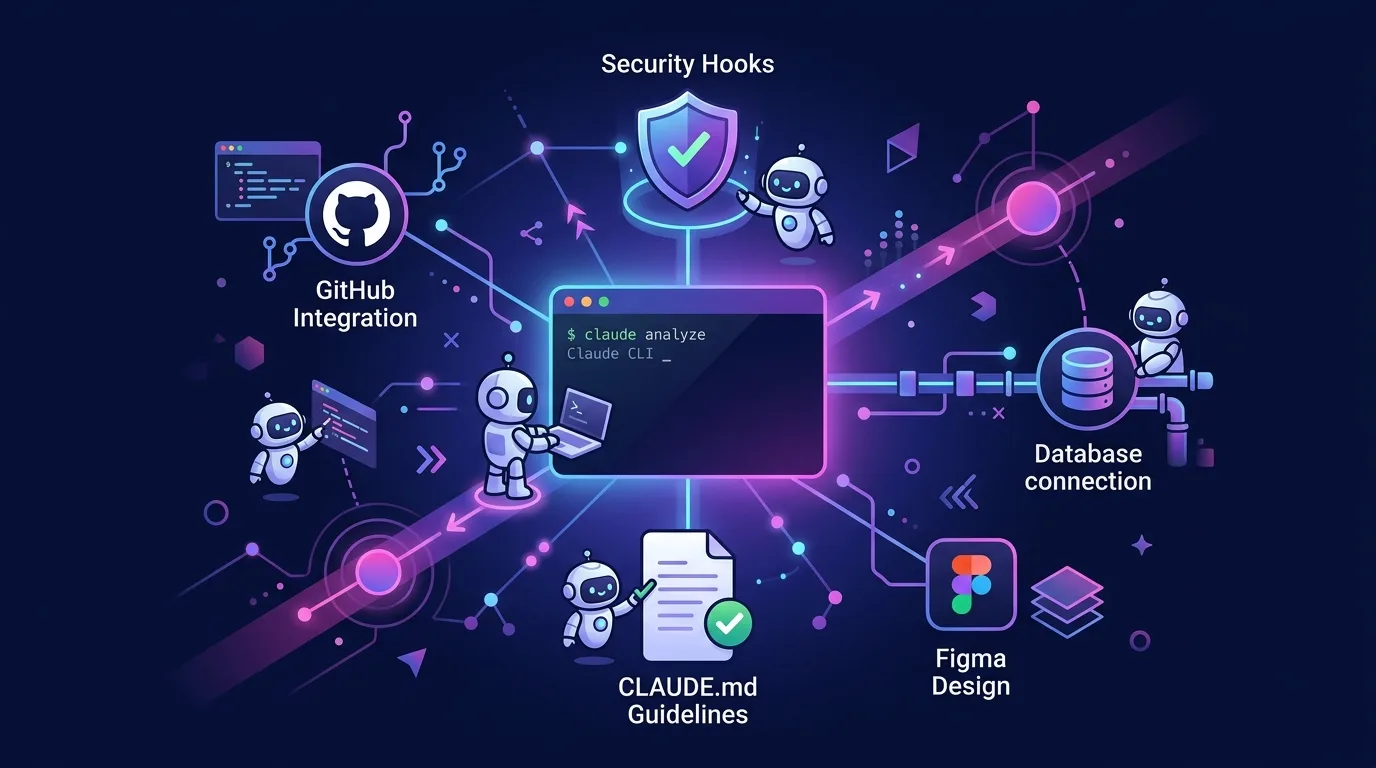
Anthropic’s Claude Code CLI is far more than a simple terminal chat interface. Powered by Custom Hooks in .claude/settings.json, programmatic context injection via CLAUDE.md, and a Model Context Protocol (MCP) layer connecting databases, Jira, and GitHub, it operates as a team-grade AI execution runtime.
This article takes a deep dive into the three core pillars for adopting Claude Code CLI as your team’s standard development environment: the Custom Hooks ecosystem, CLAUDE.md context engineering, and shared MCP pipeline setups—complete with practical code examples.
Key Takeaways
- Context Engineering > Prompt Engineering: 90% of AI hallucinations stem from a lack of context, not insufficient prompting. Setting up a
CLAUDE.mdfile in the project root automatically feeds architecture rules to the agent.- Role of Custom Hooks: Deterministically control AI behavior using
PreToolUse(security and validation before file edits),PostToolUse(automatic linting and Prettier formatting after edits), andSessionStart(environment initialization) hooks.- Shared Team MCP Setup: Commit
.claude/settings.jsonto Git so every team member shares identical MCP servers (PostgreSQL, GitHub, Figma) and security policies.- Automated Security Pipelines: Use hooks to enforce gateway-level security—blocking
.envfile access, rejecting dangerous commands likerm -rf, and preventing secret leaks.
1. The Paradigm Shift: From Prompt Engineering to Context Engineering
Through 2024, the primary focus was on writing longer, more elaborate prompts. But in the 2026 LLM ecosystem, core team productivity hinges on Context Engineering.
[Legacy Prompt Engineering]
Developer ──(Writes 500-char prompt each time)──► AI Agent ──► Non-compliant code generated

[2026 Context Engineering]
Developer ──(Concise command)──► [CLAUDE.md + Custom Hooks + MCP] ──► AI Agent ──► 100% convention-compliant code
When the AI already understands your project architecture, package versions, coding standards, and restricted operations, developers can get production-ready code from a single command like “Add user login functionality.”
CLAUDE.md Standard Specification
Located at the root of your project, CLAUDE.md is the top-priority context file read by Claude Code whenever a session starts. Here is an example adhering to the guidelines from the official Claude Code documentation.
# Project Architecture & Coding Conventions

## Tech Stack
- Framework: Next.js 15 (App Router), React 19
- Styling: Tailwind CSS v4, shadcn/ui
- State: TanStack Query v5, Zustand
- Test: Vitest, Playwright

## Code Style Rules
- All artifacts must comply with TypeScript Strict Mode (no `any` allowed).
- Components are separated by purpose under `src/components/`, using Named Exports instead of `export default`.
- Data fetching must be performed via Server Actions or `useQuery` custom hooks.

## Strict Rules
- Do not read or modify `.env` and `.env.local` files.
- Do not directly edit files under `node_modules`.
- Do not execute `git push --force`.

## Frequently Used Commands
- Build: `npm run build`
- Test: `npm run test`
- Lint: `npx eslint . --fix`
2. Custom Hooks: Deterministic Controls for AI Agents
While CLAUDE.md acts as a declarative guideline, Custom Hooks serve as an enforced sandbox pipeline preventing the AI from breaking project rules.
Hook Lifecycle Events
| Hook Event | Execution Point | Primary Use Cases |
|---|---|---|
SessionStart |
On starting a Claude Code session | Validate environment variables, clean up temp files, sync with main branch |
PreToolUse |
Before tool execution (file write, bash run, etc.) | Block dangerous commands, deny sensitive file access, security auditing |
PostToolUse |
Immediately after tool execution finishes | Auto-fix with ESLint / Prettier, type-check generated code |
SessionEnd |
On terminating a session | Log work history, clean up temporary branches |
Production Configuration: .claude/settings.json
Below is a practical .claude/settings.json structure for team projects. Committing this file to your Git repository automatically applies identical security hooks and automation across all team members.
{
  "hooks": {
    "PreToolUse": [
      {
        "type": "command",
        "command": "node .claude/hooks/security-guard.js"
      }
    ],
    "PostToolUse": [
      {
        "type": "command",
        "command": "npx prettier --write \"$CLAUDE_CHANGED_FILE\" && npx eslint --fix \"$CLAUDE_CHANGED_FILE\""
      }
    ]
  }
}
Security Inspection Hook Example (.claude/hooks/security-guard.js)
When the AI attempts to read .env files or execute destructive commands like rm -rf, the hook script exits with code 1 to abort execution immediately.
// .claude/hooks/security-guard.js
const input = JSON.parse(process.env.CLAUDE_TOOL_INPUT || '{}');
const toolName = process.env.CLAUDE_TOOL_NAME;

// 1. Block sensitive file access
if (input.path && (input.path.includes('.env') || input.path.includes('id_rsa'))) {
  console.error('❌ [Security Violation] Cannot access sensitive file:', input.path);
  process.exit(1);
}

// 2. Block dangerous destructive commands
if (toolName === 'Bash' && input.command) {
  const dangerousCmds = ['rm -rf /', 'git reset --hard', 'drop database'];
  if (dangerousCmds.some(cmd => input.command.includes(cmd))) {
    console.error('❌ [Security Violation] Execution of dangerous command prohibited:', input.command);
    process.exit(1);
  }
}

process.exit(0);
With this hook system in place, you can 100% prevent accidental database wipes or API key leaks before they ever happen.
3. Building a Shared Team MCP (Model Context Protocol) Pipeline
MCP acts as a standardized USB-C port allowing Claude Code to communicate with external databases, issue trackers, and design tools. While setting up individual MCP servers introduces tedious key management, configuring a shared team MCP pipeline dramatically boosts collaborative efficiency.
[Claude Code CLI]
       │
       ├─► [Figma MCP] ─────► Receive design tokens & component layout
       ├─► [Postgres MCP] ──► Auto-inspect real DB schema & types
       └─► [GitHub MCP] ────► Auto-reference PR creation & review history
Team MCP Configuration File (.claude/mcp-config.json)
{
  "mcpServers": {
    "github": {
      "command": "npx",
      "args": ["-y", "@modelcontextprotocol/server-github"],
      "env": {
        "GITHUB_PERSONAL_ACCESS_TOKEN": "${GITHUB_TOKEN}"
      }
    },
    "postgres": {
      "command": "npx",
      "args": ["-y", "@modelcontextprotocol/server-postgres", "${DATABASE_URL}"]
    }
  }
}
With this configuration in place, when a developer requests “Update the DB schema according to issue #142 and open a PR,” Claude independently executes the entire workflow: Check Jira/GitHub issue ➔ Inspect Postgres schema ➔ Modify code ➔ Submit PR. Combining this with the stateful agent patterns covered in our Cloudflare Agents SDK guide delivers enterprise-grade automation.
4. Standardizing Team Prompt Conventions with Custom Slash Commands
You can register frequently repeated team operations as custom Slash Commands. Simply define them as Markdown files inside the .claude/commands/ directory.
PR Creation Automation Command (.claude/commands/make-pr.md)
---
description: "Analyzes changes on the current branch to write a GitHub PR using a standardized template."
---

Write a PR according to the following steps:
1. Execute `git diff main...HEAD` to analyze all changed files and logic.
2. Draft a PR title and body based on commit messages and changed content.
3. Include [Key Changes], [Testing Methods], and [Impact Scope] sections in the PR body.
4. Create the PR using the `gh pr create` command.
Developers can simply type /make-pr in the terminal to generate a pull request perfectly tailored to team conventions.
5. Team Adoption Guide: 3-Stage Migration Roadmap
| Stage | Timeline | Key Tasks | Expected Outcome |
|---|---|---|---|
| Stage 1: Context Alignment | Week 1 | Write CLAUDE.md, commit to repo, define coding conventions |
50% reduction in code quality gaps between developers |
| Stage 2: Safety Net Build | Week 2 | Connect Custom Hooks (security hooks + Prettier/ESLint hooks) | 0 file/command incidents, unified code formatting |
| Stage 3: Pipeline Integration | Weeks 3–4 | Register shared team MCPs (GitHub, DB, Figma) & custom commands | Automated PR creation, database migrations |
Frequently Asked Questions
Does CLAUDE.md degrade performance if it gets too long?
Yes, it does. An overly bloated CLAUDE.md consumes excessive context window tokens and increases the risk of dropping core rules. It is best to keep it within 150 to 300 lines. Detailed design guidelines should be separated into external documents or referenced via MCP servers only when needed, as outlined in our Claude design agent tools guide.
Do Custom Hooks work identically on Windows?
If you specify raw Bash commands in the command field of .claude/settings.json, they might fail under Windows (cmd/PowerShell). Writing hook scripts as cross-platform Node.js files (node .claude/hooks/script.js) ensures consistent execution across all operating systems.
Is there any risk of team members accidentally committing API keys to Git?
Attaching a staging inspection script to the PreToolUse hook event automatically intercepts commits containing .env variables or API keys starting with sk- prior to the git commit step.
Which is better suited for team environments: Claude Code CLI or Cursor?
For terminal-centric CI/CD pipeline integration, robust custom hook controls, and large-scale multi-file refactoring, Claude Code CLI holds a massive advantage. On the other hand, if real-time inline autocomplete and visual editing are your priority, Cursor feels more natural. Leading teams today often run both tools in tandem, maintaining .claude/settings.json alongside .cursorrules.