Control LLM Costs and Downtime with Cloudflare AI Gateway
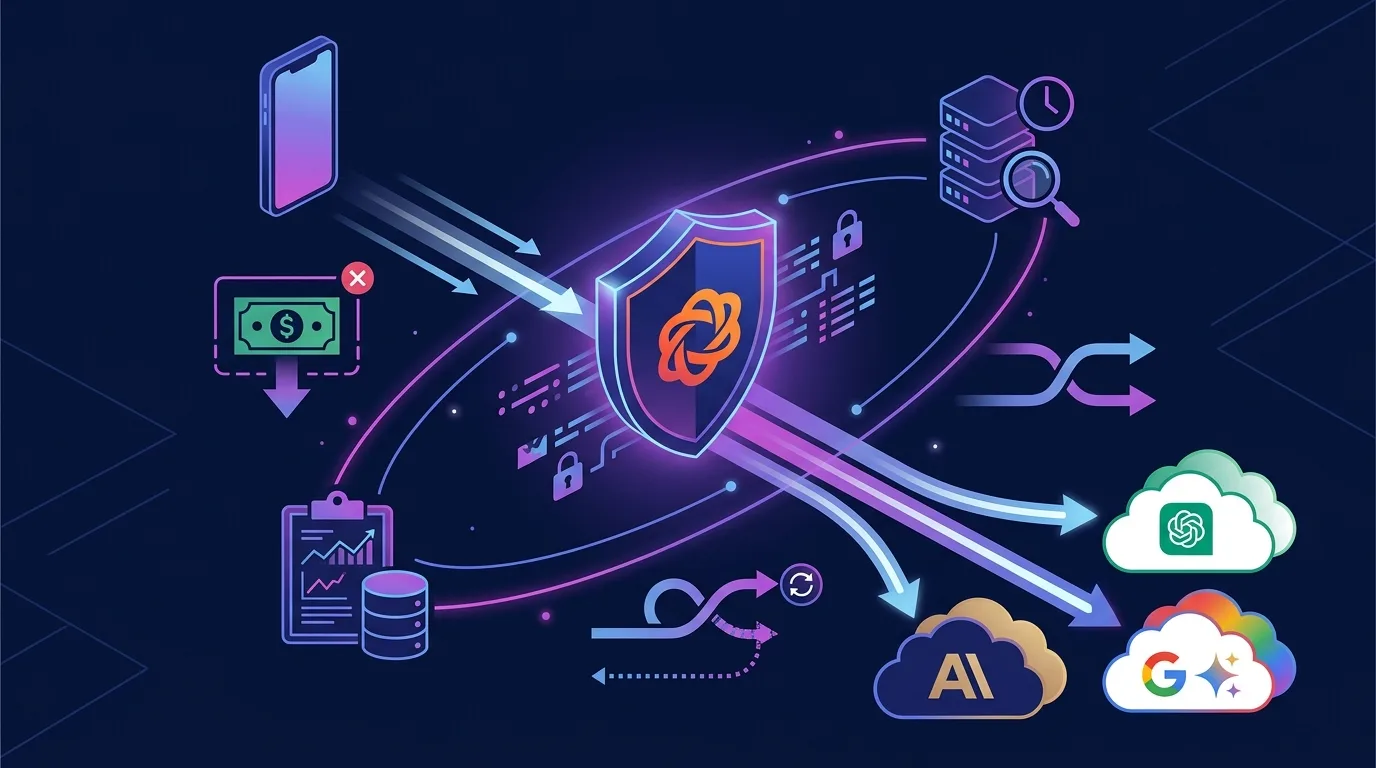
When you connect OpenAI, Anthropic, or Google Gemini APIs to production, everything seems fine at first. But as your user base grows, three unexpected problems hit simultaneously. First, fetching identical responses for repeated queries causes token costs to scale linearly. Second, when a specific provider suffers an outage, your entire application goes down. Third, you have no built-in way to control traffic when users initiate repeated calls or attempt prompt injection attacks.
While you could implement Redis caching, fallback logic, and rate-limiting middleware separately to solve each problem, Cloudflare AI Gateway resolves all of them with a single edge proxy. Without changing a single line of application logic, simply swapping your API endpoint URL with an AI Gateway URL instantly enables caching, rate limiting, automatic provider fallbacks, spend limits, logging, and DLP guardrails.
This article covers everything from AI Gateway architecture and provider configurations to cost calculations with caching, fallback routing strategies, the new 2026 Spend Limits feature, and production log limits/security setups—all at an immediately deployable depth.
Key Takeaways
- AI Gateway is free across all Cloudflare plans. The only additional costs are a 5% fee for Unified Billing and standard Workers infrastructure usage.
- Edge caching achieves up to 90% latency reduction + $0 token cost on repeated identical prompts. It is most effective for customer support chatbots and FAQ scenarios.
- Setting up provider fallback arrays automatically routes traffic to a backup model if your primary model fails. You can inspect the
cf-aig-stepresponse header to identify which provider handled the request.- The new 2026 Spend Limits feature lets you configure dollar-based budget caps on a daily or monthly basis to prevent unexpected cost spikes.
- Log retention limits are 100k requests/month on Free and 1M requests/month on Workers Paid. New logs will not be saved once you hit the limit, so export critical logs separately.
AI Gateway Architecture: Edge-Based LLM Traffic Control Without Code Changes
AI Gateway is essentially a reverse proxy. Situated between your application and AI providers, it intercepts all incoming requests, applies caching, routing, logging, and security policies, and then forwards them to the target provider. According to the Cloudflare AI Gateway Documentation, over 20 providers are supported.
| Supported Providers (Partial) | Connection Type |
|---|---|
| OpenAI (GPT-4o, o3, etc.) | Universal Endpoint or Dedicated URL |
| Anthropic (Claude Sonnet 5, etc.) | Universal Endpoint |
| Google (Gemini 2.5, etc.) | Universal Endpoint |
| Workers AI (Llama, Whisper, etc.) | Native Binding |
| Azure OpenAI | Universal Endpoint |
| AWS Bedrock | Universal Endpoint |
| Hugging Face | Universal Endpoint |
| Groq, Together AI, Perplexity | Universal Endpoint |
Connecting is as simple as replacing the base URL of your existing API calls. You don’t need to alter your core application code at all.
// Before: Direct OpenAI call
const client = new OpenAI({
  apiKey: process.env.OPENAI_API_KEY,
  baseURL: "https://api.openai.com/v1",
});

// After: Routed through AI Gateway — Swap this URL to instantly gain caching, logging, and fallbacks
const client = new OpenAI({
  apiKey: process.env.OPENAI_API_KEY,
  baseURL: "https://gateway.ai.cloudflare.com/v1/{account_id}/{gateway_id}/openai",
});
Note: {account_id} and {gateway_id} are generated automatically when you create an AI Gateway in the Cloudflare Dashboard. Because you can create multiple gateways per account, it is best practice to isolate them by environment (dev/staging/prod) or application.
Edge Caching: Zeroing the Cost of Repeated Prompts
The mechanism behind AI Gateway caching is simple. When a request matches a same prompt + same model + same parameters combination, the gateway returns the cached response directly from the edge without hitting the provider. Because no provider API request is made, your token cost is 0, and edge delivery cuts latency by up to 90%.
Scenarios Where Caching Shines
| Scenario | Expected Cache Hit Rate | Cost Savings |
|---|---|---|
| Customer Support Chatbots (Repetitive FAQ queries) | 60–80% | Cuts monthly token costs by 60–80% |
| Code Assistants (Identical boilerplate generation) | 30–50% | Cuts monthly token costs by 30–50% |
| Translation APIs (Repetitive text translation) | 70–90% | Cuts monthly token costs by 70–90% |
| Open Conversational Chatbots (Unique prompts per user) | 5–15% | Limited impact |
Configuring Cache
In the dashboard, select your gateway, navigate to Settings > Cache > Enable, and configure the TTL (Time-to-Live). You can also control caching per request via request headers.
// Control per-request cache TTL (in seconds)
const response = await fetch(
  `https://gateway.ai.cloudflare.com/v1/${accountId}/${gatewayId}/openai/chat/completions`,
  {
    method: "POST",
    headers: {
      "Authorization": `Bearer ${apiKey}`,
      "Content-Type": "application/json",
      "cf-aig-cache-ttl": "3600",  // 1-hour cache
    },
    body: JSON.stringify({
      model: "gpt-4o",
      messages: [{ role: "user", content: "What is the CPU time limit for Cloudflare Workers?" }],
    }),
  }
);

// Check cache status via response headers
const cacheStatus = response.headers.get("cf-aig-cache-status");
// "HIT" = Returned from cache (Cost: $0, Latency: ~10ms)
// "MISS" = Fetched fresh from provider
Important caveat: Caching only works for non-streaming responses. Requests configured with stream: true will not be cached. If you need streaming while still benefiting from caching, consider splitting your design: process frequent repetitive queries as non-streaming and user conversations as streaming.
Automatic Fallbacks: Maintaining Service Continuity During Provider Outages
If you remember OpenAI’s major outage in 2024 or Anthropic API’s intermittent downtime in 2025, the risks of single-provider dependency need no explanation. AI Gateway’s fallback feature lets you define an array of providers so that if the primary choice fails, requests automatically failover to the backup options.
// Configuring fallback providers (Universal Endpoint)
const response = await fetch(
  `https://gateway.ai.cloudflare.com/v1/${accountId}/${gatewayId}`,
  {
    method: "POST",
    headers: { "Content-Type": "application/json" },
    body: JSON.stringify([
      {
        // Priority 1: Anthropic Claude Sonnet 5
        provider: "anthropic",
        endpoint: "messages",
        headers: { "x-api-key": ANTHROPIC_KEY, "anthropic-version": "2023-06-01" },
        query: {
          model: "claude-sonnet-5-20260514",
          max_tokens: 1024,
          messages: [{ role: "user", content: userMessage }],
        },
      },
      {
        // Priority 2: OpenAI GPT-4o (Fallback)
        provider: "openai",
        endpoint: "chat/completions",
        headers: { "Authorization": `Bearer ${OPENAI_KEY}` },
        query: {
          model: "gpt-4o",
          messages: [{ role: "user", content: userMessage }],
        },
      },
      {
        // Priority 3: Workers AI (Self-hosted infrastructure, minimal cost)
        provider: "workers-ai",
        endpoint: "@cf/meta/llama-3.3-70b-instruct-fp8-fast",
        headers: { "Authorization": `Bearer ${CF_API_TOKEN}` },
        query: {
          messages: [{ role: "user", content: userMessage }],
        },
      },
    ]),
  }
);

// Identify which provider handled the request
const step = response.headers.get("cf-aig-step");
// "0" = Anthropic succeeded, "1" = OpenAI fallback, "2" = Workers AI fallback
The core advantage of this pattern is that your application code requires zero if-else branching. Provider prioritization and fallback logic are handled at the gateway layer, so your app always calls the same endpoint and receives a uniform response format.
Spend Limits: Preventing Cost Spikes with Dollar-Based Budget Caps
The Spend Limits feature introduced in 2026 is AI Gateway’s most practical addition. Traditional rate limiting relied on request counts, whereas Spend Limits caps traffic based on actual dollar spend.
| Configuration Key | Example Value | Description |
|---|---|---|
| Total Spend Limit | $500/day | Daily cost cap for the entire gateway |
| Per-User Spend Limit | $10/day | Daily cost cap per individual user |
| Action on Limit | Block / Fallback | Block requests or fall back to a cheaper model upon hitting cap |
| Reset Period | Daily/Monthly | Reset frequency for cost counters |
Production Scenario: In a SaaS application, setting a per-user budget cap of $10/day ensures overall expenses remain controlled even if a specific user spams the API. Instead of hard-blocking requests when limits are met, configuring automatic failover to a budget model (such as Workers AI Llama) preserves user experience while locking down costs.
Rate limiting and Spend Limits can be applied concurrently. Establishing a dual safety barrier—such as “60 requests/minute + $50/day cap”—is the recommended pattern for production deployments.
Pricing Structure and Log Retention: Production Operational Checklist
While AI Gateway itself is free, there are underlying costs and limits to keep in mind when running in production. Here are the figures as of August 2026 from the Cloudflare Workers Pricing page and AI Gateway documentation.
| Item | Free | Workers Paid ($5/mo) |
|---|---|---|
| AI Gateway Fee | $0 | $0 |
| Log Retention Limit | 100k logs/mo | 1M logs/mo |
| Unified Billing Fee | 5% | 5% |
| Workers Requests | 100k requests/day free | $0.30 per 1M requests |
| Workers CPU Time | 10ms CPU time/day free | $0.02 per 1M CPU-ms |
Three essential operational considerations:
-
Always monitor log limits. On the Free plan, exceeding 100k logs per month causes new logs to be dropped. If log analysis is required, set up a pipeline to export logs in real time from Workers to external storage (e.g., R2, BigQuery). We detailed this architecture in our Async Job Processing Guide with Cloudflare Queues.
-
Unified Billing vs. BYOK (Bring Your Own Key). With Unified Billing, Cloudflare manages your provider API keys and charges a 5% fee. If you manage keys yourself (BYOK), there is no fee, but you assume responsibility for key rotation and secret management. BYOK is standard for small teams, while Unified Billing fits enterprise setups.
-
Enable DLP Guardrails. AI Gateway features built-in Data Loss Prevention (DLP) to automatically detect sensitive data (PII, source code) in prompts and responses. Enabling safety guardrails powered by Llama Guard 3 8B blocks prompt injection attacks and harmful content generation right at the gateway level.
Infrastructure Comparison: AI Gateway vs. Custom Implementation vs. LiteLLM
AI Gateway is not your only option. You can also build a custom proxy or adopt open-source LLM proxies like LiteLLM.
| Feature | Cloudflare AI Gateway | Custom Proxy (Node.js + Redis) | LiteLLM (Open Source) |
|---|---|---|---|
| Installation & Setup | 1 line URL change | Server + Redis + Middleware | Docker container deployment |
| Caching | Built-in edge cache | Self-implemented Redis cache | Redis/DB integration |
| Fallback Routing | Array declaration only | if-else or retry logic |
Config file configuration |
| Cost Control | Spend Limits (Dollar-based) | Manual calculation & block logic | Token-counting based |
| Logging & Analytics | Built-in dashboard | Self-built ELK/Grafana | Built-in dashboard (Limited) |
| Global Latency | Edge 300+ PoPs | Server location dependent | Server location dependent |
| Vendor Lock-in | High (Cloudflare-only) | None | None |
| Cost | Free (~Workers cost) | Server + Redis cost | Server cost |
If you are already inside the Cloudflare ecosystem, AI Gateway is the fastest and cheapest solution. If a multi-cloud strategy is mandatory or requires deep custom logic, evaluate LiteLLM; for total operational freedom, consider building a custom solution. We analyzed infrastructure cost comparisons in depth in our Cloudflare Workers vs AWS Lambda Cost Comparison Guide.
Frequently Asked Questions
Does AI Gateway add latency to API requests?
The added overhead is minimal. Running across Cloudflare’s global edge network typically adds only 1–5ms of latency. When a cache hit occurs, it actually significantly reduces latency compared to calling providers directly because provider round-trips are eliminated.
Does it support streaming responses?
Yes. AI Gateway seamlessly passes streaming responses through. However, streaming responses are not cached. Logging and rate-limiting features continue to function normally during streaming.
Can I manage Workers AI and external providers within a single gateway?
Absolutely. Integrating over 20 providers under a single gateway is AI Gateway’s primary value proposition. You can manage Workers AI (self-hosted models) and OpenAI/Anthropic (external APIs) in the same gateway while customizing fallback ordering as needed.
Can I use the Cloudflare Free plan in production?
You can, but with limitations. The Free plan caps log retention at 100k requests/month, meaning logs will be dropped if your application receives over 3,300 AI requests daily. For production environments, we recommend starting with the Workers Paid plan ($5/month, 1M logs/mo).
Can I continue using existing OpenAI SDKs?
Yes, without modification. Simply replace the baseURL parameter in your OpenAI SDK setup with your AI Gateway URL. All SDK capabilities (streaming, function calling, vision, etc.) continue to work seamlessly. Anthropic and Google Gemini SDKs operate identically—just swap their base URLs.