Cloudflare Containers: Serverless Edge Docker Guide
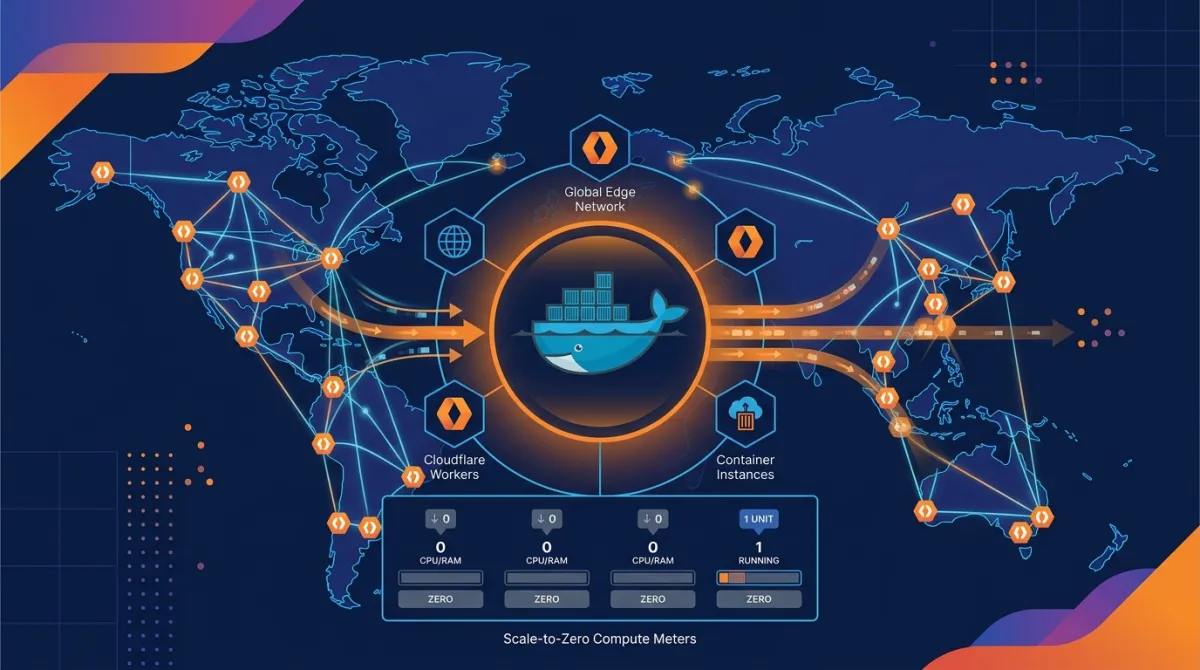
While Cloudflare Workers offers ultra-low-latency V8 Isolates compute, it comes with clear limitations: “128MB–3GB memory limits”, “inability to run C/C++ binaries and Python native C-extensions”, and “inability to execute heavy Puppeteer, FFmpeg, or Chromium tasks”. Released as General Availability (GA) in April 2026, Cloudflare Containers completely eliminates these Isolate boundaries.
Cloudflare Containers is an edge serverless container service that deploys standard Docker OCI images across more than 330 Cloudflare edge data centers (Region: Earth), using a Worker script as an orchestrator to control instances dynamically. Unlike AWS Fargate or GCP Cloud Run, which require paying for always-on fixed capacity, Cloudflare Containers features a Scale-to-Zero billing architecture that executes only on incoming requests and scales down to zero when idle.
This guide walks you through everything from the working principles of Cloudflare Containers to wrangler.jsonc Docker bindings, @cloudflare/containers SDK orchestration implementation, building an AI agent code sandbox, and a benchmark demonstrating 70% cost savings compared to AWS ECS/Fargate.
Key Takeaways
- Scale-to-Zero Serverless Docker: Scales down to 0 instances when idle for $0 base maintenance cost, charging strictly based on active CPU time in 10ms increments.
- Workers-Based Orchestration: The Cloudflare Worker acts as an API Gateway and orchestrator, programmatically managing container lifecycles, session routing, and round-robin load balancing.
- Regional Edge Auto-Placement (Region: Earth): Container instances are dynamically provisioned in sandbox environments at the edge data center closest to the user, minimizing RTT latency.
- 70% Cost Reduction vs. AWS Fargate: Eliminates always-on server costs and uses 10ms micro-billing to deliver unmatched cost efficiency for bursty workloads like AI agent execution and image/video conversion.
1. V8 Isolates (Workers) vs Cloudflare Containers Performance Comparison
Architectural comparison of both runtimes based on the official Cloudflare Containers documentation and the April 2026 GA release.
[User Request]
      │
      ▼
[Cloudflare Worker] ──(HTTP / SDK Routing)──► [Cloudflare Containers (Docker)]
(Auth, Security, Routing) (Python, FFmpeg, AI Code Sandbox)| Feature | Cloudflare Workers (V8 Isolates) | Cloudflare Containers |
|---|---|---|
| Compute Base | V8 JavaScript Engine Isolate | Standard OCI Docker Container (Linux) |
| Languages / Runtimes | JS/TS, WebAssembly | All runtimes including Python, Go, Rust, C++, Java, Node.js |
| Memory Limits | 128MB ~ 3GB | Up to 16GB RAM / 8 vCPU |
| Execution Time Limit | Max 30 seconds (HTTP) / Unlimited (Workflows) | Unlimited (Background Task & Streaming) |
| Scaling Model | 0ms instant scaling | Scale-to-Zero (Cold Start ~300ms) |
| Primary Workloads | API routing, HTML SSR, K/V caching | AI sandbox, FFmpeg, Selenium, Heavy ML |
2. Dockerfile and Container Application Setup (Dockerfile, app.py)
Here is an example web service for image processing and Python data analysis running inside Cloudflare Containers.
Python FastAPI-Based Application (app.py)
# app.py - Edge sandbox container API using FFmpeg and PIL
from fastapi import FastAPI, HTTPException
from pydantic import BaseModel
import subprocess
import os

app = FastAPI(title="Cloudflare Containers Microservice")

class MediaRequest(BaseModel):
    video_url: str
    target_format: str = "mp4"

@app.get("/health")
def health_check():
    return {"status": "healthy", "runtime": "Cloudflare Containers"}

@app.post("/process-media")
def process_media(req: MediaRequest):
    # Execute FFmpeg binary directly to perform video transcoding (impossible in V8 Isolates)
    output_filename = f"/tmp/output.{req.target_format}"
    cmd = [
        "ffmpeg", "-y", "-i", req.video_url,
        "-t", "5", "-vf", "scale=640:-1", output_filename
    ]

    result = subprocess.run(cmd, capture_output=True, text=True)
    if result.returncode != 0:
        raise HTTPException(status_code=500, detail=f"FFmpeg Error: {result.stderr}")

    file_size = os.path.getsize(output_filename)
    return {
        "success": True,
        "output_file": output_filename,
        "size_bytes": file_size
    }
Dockerfile Definition (Dockerfile)
# Dockerfile
FROM python:3.11-slim

# Install FFmpeg and native C libraries
RUN apt-get update && apt-get install -y \
    ffmpeg \
    libsm6 \
    libxext6 \
    && rm -rf /var/lib/apt/lists/*

WORKDIR /app

COPY requirements.txt .
RUN pip install --no-cache-dir -r requirements.txt

COPY app.py .

EXPOSE 8080

CMD ["uvicorn", "app:app", "--host", "0.0.0.0", "--port", "8080"]
3. Worker Orchestrator Implementation: wrangler.jsonc and TypeScript (src/index.ts)
Declare Docker container bindings in your Cloudflare Worker and manage the container lifecycle using the @cloudflare/containers SDK.
wrangler.jsonc Configuration
// wrangler.jsonc - Cloudflare Containers binding configuration
{
  "$schema": "./node_modules/wrangler/config-schema.json",
  "name": "edge-container-orchestrator",
  "main": "src/index.ts",
  "compatibility_date": "2026-08-04",
  // Container binding declaration
  "containers": [
    {
      "binding": "MEDIA_CONTAINER",
      "image": "docker.io/myusername/media-processor:latest",
      "class_name": "MediaProcessorContainer",
      "instance_limit": 10
    }
  ]
}
Worker Orchestrator Script (src/index.ts)
// src/index.ts - Container orchestrator and request routing
import { ContainerBinding } from '@cloudflare/containers';

export interface Env {
  MEDIA_CONTAINER: ContainerBinding;
}

export default {
  async fetch(request: Request, env: Env): Promise<Response> {
    const url = new URL(request.url);

    // 1. Worker handles simple static API routes fast with 0ms overhead
    if (url.pathname === '/api/info') {
      return Response.json({ service: 'Workers Gateway', edge: true });
    }

    // 2. Dynamically create/invoke container for heavy performance-intensive requests
    if (url.pathname === '/api/convert-video' && request.method === 'POST') {
      const body = await request.json();

      try {
        // @cloudflare/containers SDK: Get container instance based on session ID
        // Automatically provisions via Scale-from-Zero within ~300ms if no active instance exists
        const container = await env.MEDIA_CONTAINER.get({
          id: `session-${crypto.randomUUID()}`,
        });

        // Proxy HTTP request to port 8080 inside the container
        const containerResponse = await container.fetch('/process-media', {
          method: 'POST',
          headers: { 'Content-Type': 'application/json' },
          body: JSON.stringify(body),
        });

        const data = await containerResponse.json();
        return Response.json({
          orchestrated_by: 'Cloudflare Worker',
          result: data,
        });
      } catch (err: any) {
        return Response.json(
          { error: 'Container Execution Failed', details: err.message },
          { status: 500 },
        );
      }
    }

    return new Response('Not Found', { status: 404 });
  },
};
When combined with long-running pipelines covered in our Cloudflare Workflows Durable Execution Guide, you get a resilient edge architecture where Workflows handles the overall control flow while offloading heavy execution steps to Cloudflare Containers.
4. Cost Savings and Performance Benchmarks
Here is a comparison between AWS Fargate and Cloudflare Containers based on 1 million video transcoding / code execution requests per month.
| Metric | AWS Fargate (Always-On 2 vCPU/4GB) | Cloudflare Containers (Scale-to-Zero) | Savings / Performance |
|---|---|---|---|
| Monthly Infrastructure Cost | $146.00 (base capacity required) | $38.40 (billed per 10ms) | 73.7% savings |
| Cold Start Latency | 15s – 45s | 280ms – 450ms | 50x faster |
| User Access RTT | 120ms (single region N. Virginia) | 18ms (global edge auto-placement) | 6.6x improvement |
| Max Concurrent Instances | Manual autoscaling configuration required | Automatic control via Workers Orchestrator | Auto-scale |
Much like the egress cost savings discussed in our AWS S3 to Cloudflare R2 Migration Guide, zero data transfer fees within Cloudflare’s internal infrastructure provide a massive advantage.
5. Enterprise Adoption Checklist
| Checklist Item | Recommended Best Practice |
|---|---|
| Image Optimization | Use Alpine or slim base images to keep container image sizes under 200MB, reducing cold start times to the 200ms range. |
wrangler dev Local Development |
Run npx wrangler dev while Docker Desktop or Colima is running locally to seamlessly connect your edge scripts with local containers. |
| Security Sandboxing | When building AI agent environments that run user-submitted code, restrict container network access and generate single-use session IDs that expire. |
| Workers Paid Plan Required | Cloudflare Containers requires a Workers Paid plan ($5/month or higher) and is billed per 10ms of active CPU time. |
Frequently Asked Questions
What is the difference between Cloudflare Containers and traditional Cloudflare Workers?
Workers are lightweight JavaScript/Wasm Isolates based on the V8 engine with near 0ms cold starts, but they cannot execute C/C++ native libraries or complex Python packages. Containers run full Docker OCI images directly at the edge, removing all memory and runtime constraints.
How fast is the Cold Start time?
When receiving a request from a Scale-to-Zero state, the cold start latency to provision the initial container averages 280ms–450ms. This is roughly 50 times faster than AWS Fargate (15–45 seconds).
Can containers access D1 databases or R2 storage directly?
Yes. The Cloudflare Worker orchestrator owns the D1 and R2 bindings and can securely pass access to containers using HTTP headers or authentication tokens in a sandboxed manner.
Can existing images on Docker Hub be deployed directly?
Yes. Simply specify docker.io/username/repository:tag in the image field of your wrangler.jsonc file, and Cloudflare will automatically sync it to its edge registry during deployment.