Drizzle ORM + Cloudflare D1: 99% Smaller Bundle than Prisma
Why ORMs Are a Problem on the Edge
Have you ever used Prisma on Cloudflare Workers only to find your cold start times ridiculously slow? The reason is simple: Prisma’s bundle size is 1.6 MB. Although Workers has a 10 MB script size limit, bundling a 1.6 MB ORM means hundreds of milliseconds evaporate during every cold start.
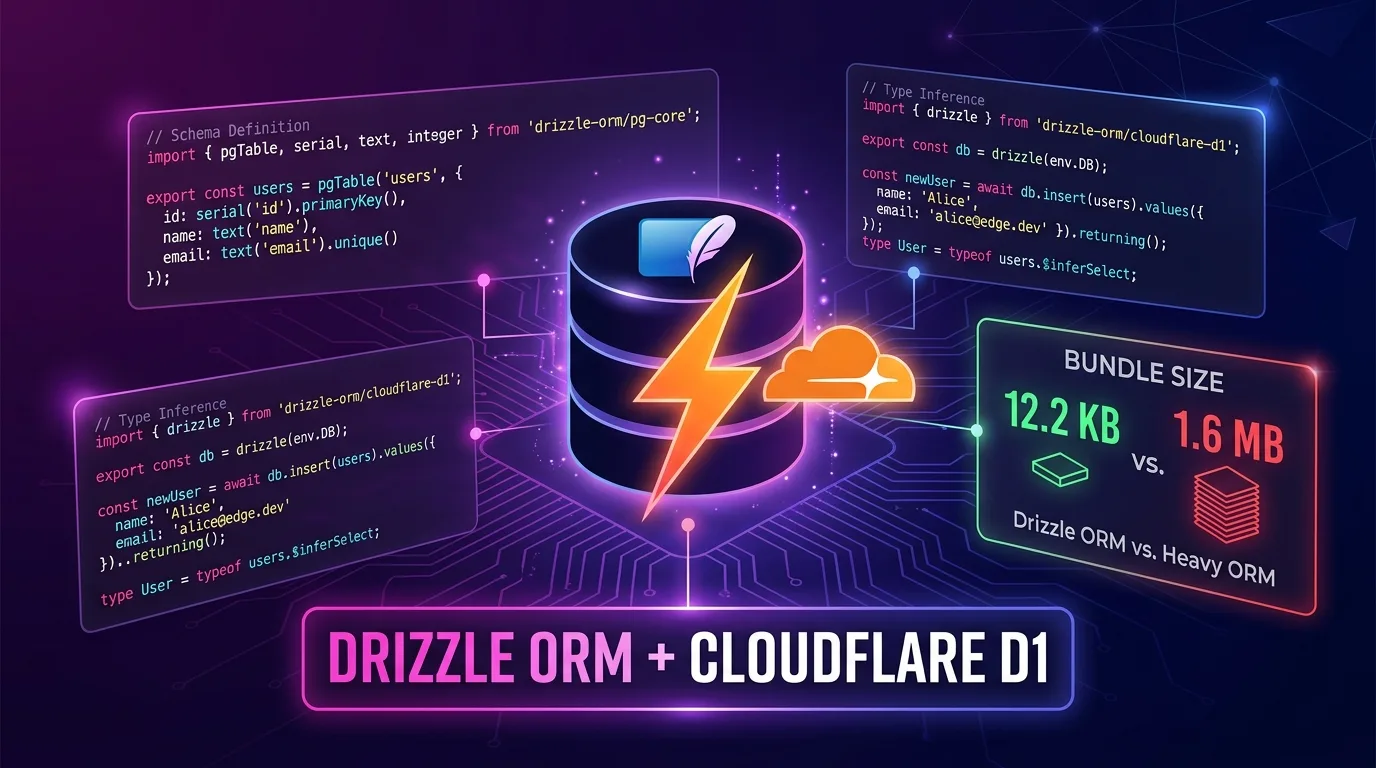
Drizzle ORM was designed with the exact opposite philosophy. Its bundle size is just 12.2 KB (min+gzip)—99.2% smaller than Prisma. There is no code generation step and no binary or Rust engine. It wraps SQL using pure TypeScript, making it run exceptionally well in edge runtimes.
In this guide, we’ll walk step-by-step through building a fully type-safe edge database architecture by combining Drizzle ORM and Cloudflare D1. You’ll build a REST API with Hono, manage migrations with drizzle-kit, and set up your local development environment.
Drizzle ORM vs. Prisma: Edge Environment Comparison
Comparing both ORMs in a real production environment reveals stark differences:
| Metric | Drizzle ORM | Prisma 7+ |
|---|---|---|
| Bundle Size (min+gzip) | 12.2 KB | 1.6 MB |
| Cold Start Impact | Minimal (~50-100ms) | Low (~80-150ms) |
| Edge Runtime Support | First-class | Supported from v7 |
| Code Generation Step | None | Yes (prisma generate) |
| Type Inference | Direct TypeScript Inference | Generated Client |
| SQL Control Level | High (SQL-first) | Medium (Abstraction) |
| Official D1 Driver | drizzle-orm/d1 |
None (Community) |
| Learning Curve | Medium | Low |
While Prisma 7 did remove the Rust engine in favor of a pure TypeScript/WASM approach, a 130x difference in bundle size remains. In an environment like Cloudflare Workers where cold starts can trigger on any request, this difference is crucial.
What Is Cloudflare D1?
D1 is Cloudflare’s serverless SQLite database. Because you access it directly via Workers bindings, there is zero TCP connection overhead. It supports global read replication and offers 5 million query reads per day even on the free plan.
Cloudflare Workers Request
        │
        ▼
  D1 Binding (env.DB)
        │ (IPC within same datacenter)
        ▼
  SQLite Database
  (D1 Serverless Instance)
The key point is that you access D1 through bindings without HTTP request overhead. Latency is roughly one-tenth that of an external database connection.
Initial Project Setup
1. Hono + Drizzle + D1 Scaffolding
# Create Hono Worker template
npm create cloudflare@latest my-d1-app -- --template hono

cd my-d1-app

# Install Drizzle
npm install drizzle-orm
npm install -D drizzle-kit
2. Creating a D1 Database
# Create D1 database
npx wrangler d1 create my-app-db

# Example output:
# [[d1_databases]]
# binding = "DB"
# database_name = "my-app-db"
# database_id = "xxxxxxxx-xxxx-xxxx-xxxx-xxxxxxxxxxxx"
3. Configuring wrangler.jsonc
// wrangler.jsonc
{
  "name": "my-d1-app",
  "main": "src/index.ts",
  "compatibility_date": "2025-01-01",
  "compatibility_flags": ["nodejs_compat"],
  "d1_databases": [
    {
      "binding": "DB",
      "database_name": "my-app-db",
      "database_id": "xxxxxxxx-xxxx-xxxx-xxxx-xxxxxxxxxxxx",
      "migrations_dir": "drizzle/migrations"
    }
  ]
}
4. Configuring drizzle.config.ts
// drizzle.config.ts
import { defineConfig } from "drizzle-kit";

export default defineConfig({
  dialect: "sqlite",
  schema: "./src/db/schema.ts",
  out: "./drizzle/migrations",
  driver: "d1-http",
  dbCredentials: {
    accountId: process.env.CLOUDFLARE_ACCOUNT_ID!,
    databaseId: process.env.CLOUDFLARE_DATABASE_ID!,
    token: process.env.CLOUDFLARE_D1_TOKEN!,
  },
});
Local Development Tip: In local development, you use
wrangler d1 migrations apply, sodriveranddbCredentialsindrizzle.config.tsare strictly for production remote migrations.
Schema Definition: TypeScript-First
Drizzle’s primary strength is combining schema definitions and type inference into a single step. You don’t need a separate code generation step like prisma generate.
// src/db/schema.ts
import {
  sqliteTable,
  text,
  integer,
  real,
  blob,
} from "drizzle-orm/sqlite-core";
import { sql } from "drizzle-orm";

// Users table
export const users = sqliteTable("users", {
  id: integer("id").primaryKey({ autoIncrement: true }),
  email: text("email").notNull().unique(),
  name: text("name").notNull(),
  role: text("role", { enum: ["admin", "user", "guest"] })
    .notNull()
    .default("user"),
  createdAt: text("created_at")
    .notNull()
    .default(sql`(datetime('now'))`),
  updatedAt: text("updated_at")
    .notNull()
    .default(sql`(datetime('now'))`),
});

// Posts table
export const posts = sqliteTable("posts", {
  id: integer("id").primaryKey({ autoIncrement: true }),
  title: text("title").notNull(),
  slug: text("slug").notNull().unique(),
  content: text("content").notNull(),
  authorId: integer("author_id")
    .notNull()
    .references(() => users.id, { onDelete: "cascade" }),
  published: integer("published", { mode: "boolean" }).default(false),
  viewCount: integer("view_count").default(0),
  publishedAt: text("published_at"),
  createdAt: text("created_at")
    .notNull()
    .default(sql`(datetime('now'))`),
});

// Tags table (M:N relationship)
export const tags = sqliteTable("tags", {
  id: integer("id").primaryKey({ autoIncrement: true }),
  name: text("name").notNull().unique(),
  slug: text("slug").notNull().unique(),
});

export const postTags = sqliteTable("post_tags", {
  postId: integer("post_id")
    .notNull()
    .references(() => posts.id, { onDelete: "cascade" }),
  tagId: integer("tag_id")
    .notNull()
    .references(() => tags.id, { onDelete: "cascade" }),
});

// Type inference — usable immediately without code generation
export type User = typeof users.$inferSelect;
export type NewUser = typeof users.$inferInsert;
export type Post = typeof posts.$inferSelect;
export type NewPost = typeof posts.$inferInsert;
export type Tag = typeof tags.$inferSelect;
The key difference from Prisma: there’s no need to run prisma generate. The schema file itself is the single source of truth for TypeScript types. IDE autocompletion works out of the box.
Migration Workflow
Generating SQL Migration Files
npx drizzle-kit generateThis command generates SQL files in the drizzle/migrations/ folder:
-- drizzle/migrations/0000_initial.sql
CREATE TABLE `users` (
  `id` integer PRIMARY KEY AUTOINCREMENT NOT NULL,
  `email` text NOT NULL,
  `name` text NOT NULL,
  `role` text DEFAULT 'user' NOT NULL,
  `created_at` text DEFAULT (datetime('now')) NOT NULL,
  `updated_at` text DEFAULT (datetime('now')) NOT NULL
);
--> statement-breakpoint
CREATE UNIQUE INDEX `users_email_unique` ON `users` (`email`);
--> statement-breakpoint
CREATE TABLE `posts` (
  `id` integer PRIMARY KEY AUTOINCREMENT NOT NULL,
  `title` text NOT NULL,
  `slug` text NOT NULL,
  `content` text NOT NULL,
  `author_id` integer NOT NULL,
  `published` integer DEFAULT false,
  `view_count` integer DEFAULT 0,
  `published_at` text,
  `created_at` text DEFAULT (datetime('now')) NOT NULL,
  FOREIGN KEY (`author_id`) REFERENCES `users`(`id`) ON UPDATE no action ON DELETE cascade
);
Applying Migrations
# Apply to local D1 (Development)
npx wrangler d1 migrations apply DB --local

# Apply to production D1
npx wrangler d1 migrations apply DB --remote
Wrangler tracks migration history using a d1_migrations table inside D1, preventing accidental duplicate applications.
Schema Change Example
# Generate a new migration after modifying schema
npx drizzle-kit generate

# Inspect generated migration and apply locally
npx wrangler d1 migrations apply DB --local
Workers + Hono Integration
Initializing the DB Client
// src/db/client.ts
import { drizzle } from "drizzle-orm/d1";
import * as schema from "./schema";

export type Env = {
  DB: D1Database;
};

export function createDb(d1: D1Database) {
  return drizzle(d1, { schema });
}

export type DrizzleDb = ReturnType<typeof createDb>;
Setting Up the Hono App
// src/index.ts
import { Hono } from "hono";
import { createDb, type Env } from "./db/client";
import { usersRouter } from "./routes/users";
import { postsRouter } from "./routes/posts";

const app = new Hono<{ Bindings: Env }>();

// DB Middleware
app.use("*", async (c, next) => {
  c.set("db", createDb(c.env.DB));
  await next();
});

app.route("/api/users", usersRouter);
app.route("/api/posts", postsRouter);

app.get("/health", (c) => c.json({ status: "ok" }));

export default app;
Users Router — Full CRUD
// src/routes/users.ts
import { Hono } from "hono";
import { eq, like, desc, count } from "drizzle-orm";
import { users, posts, type NewUser } from "../db/schema";
import type { DrizzleDb, Env } from "../db/client";

const usersRouter = new Hono<{
  Bindings: Env;
  Variables: { db: DrizzleDb };
}>();

// GET /api/users — Pagination + Search
usersRouter.get("/", async (c) => {
  const db = c.get("db");
  const { page = "1", limit = "20", q } = c.req.query();

  const pageNum = Math.max(1, parseInt(page));
  const limitNum = Math.min(100, parseInt(limit));
  const offset = (pageNum - 1) * limitNum;

  // Dynamically construct WHERE clause
  const whereClause = q ? like(users.name, `%${q}%`) : undefined;

  const [userList, totalResult] = await Promise.all([
    db
      .select()
      .from(users)
      .where(whereClause)
      .orderBy(desc(users.createdAt))
      .limit(limitNum)
      .offset(offset)
      .all(),
    db
      .select({ count: count() })
      .from(users)
      .where(whereClause)
      .get(),
  ]);

  return c.json({
    data: userList,
    pagination: {
      page: pageNum,
      limit: limitNum,
      total: totalResult?.count ?? 0,
      hasNext: offset + limitNum < (totalResult?.count ?? 0),
    },
  });
});

// GET /api/users/:id — Get user + post count
usersRouter.get("/:id", async (c) => {
  const db = c.get("db");
  const id = parseInt(c.req.param("id"));

  const user = await db
    .select({
      id: users.id,
      email: users.email,
      name: users.name,
      role: users.role,
      createdAt: users.createdAt,
      postCount: count(posts.id),
    })
    .from(users)
    .leftJoin(posts, eq(posts.authorId, users.id))
    .where(eq(users.id, id))
    .groupBy(users.id)
    .get();

  if (!user) {
    return c.json({ error: "User not found" }, 404);
  }

  return c.json(user);
});

// POST /api/users — Create user
usersRouter.post("/", async (c) => {
  const db = c.get("db");
  const body = await c.req.json<NewUser>();

  // Check for duplicate email
  const existing = await db
    .select({ id: users.id })
    .from(users)
    .where(eq(users.email, body.email))
    .get();

  if (existing) {
    return c.json({ error: "Email already exists" }, 409);
  }

  const [newUser] = await db
    .insert(users)
    .values({
      email: body.email,
      name: body.name,
      role: body.role ?? "user",
    })
    .returning();

  return c.json(newUser, 201);
});

// PATCH /api/users/:id — Partial update
usersRouter.patch("/:id", async (c) => {
  const db = c.get("db");
  const id = parseInt(c.req.param("id"));
  const body = await c.req.json<Partial<NewUser>>();

  const [updated] = await db
    .update(users)
    .set({
      ...body,
      updatedAt: new Date().toISOString(),
    })
    .where(eq(users.id, id))
    .returning();

  if (!updated) {
    return c.json({ error: "User not found" }, 404);
  }

  return c.json(updated);
});

// DELETE /api/users/:id
usersRouter.delete("/:id", async (c) => {
  const db = c.get("db");
  const id = parseInt(c.req.param("id"));

  const [deleted] = await db
    .delete(users)
    .where(eq(users.id, id))
    .returning({ id: users.id });

  if (!deleted) {
    return c.json({ error: "User not found" }, 404);
  }

  return c.json({ message: "Deleted", id: deleted.id });
});

export { usersRouter };
Advanced Querying: Fetching Relations
// src/routes/posts.ts — JOIN relational data
import { Hono } from "hono";
import { eq, and, desc, inArray } from "drizzle-orm";
import { posts, users, tags, postTags } from "../db/schema";
import type { DrizzleDb, Env } from "../db/client";

const postsRouter = new Hono<{
  Bindings: Env;
  Variables: { db: DrizzleDb };
}>();

// GET /api/posts/:slug — Post details (includes user + tags)
postsRouter.get("/:slug", async (c) => {
  const db = c.get("db");
  const slug = c.req.param("slug");

  // 1. Fetch post + author
  const post = await db
    .select({
      id: posts.id,
      title: posts.title,
      slug: posts.slug,
      content: posts.content,
      published: posts.published,
      viewCount: posts.viewCount,
      publishedAt: posts.publishedAt,
      author: {
        id: users.id,
        name: users.name,
        email: users.email,
      },
    })
    .from(posts)
    .innerJoin(users, eq(posts.authorId, users.id))
    .where(and(eq(posts.slug, slug), eq(posts.published, true)))
    .get();

  if (!post) {
    return c.json({ error: "Post not found" }, 404);
  }

  // 2. Fetch tags (separate query — two simple queries are faster than complex subqueries on D1)
  const postTagList = await db
    .select({ name: tags.name, slug: tags.slug })
    .from(tags)
    .innerJoin(postTags, eq(postTags.tagId, tags.id))
    .where(eq(postTags.postId, post.id))
    .all();

  // 3. Increment view count (fire-and-forget)
  c.executionCtx.waitUntil(
    db
      .update(posts)
      .set({ viewCount: post.viewCount + 1 })
      .where(eq(posts.id, post.id))
      .run()
  );

  return c.json({ ...post, tags: postTagList });
});

export { postsRouter };
Incrementing view counts with c.executionCtx.waitUntil() is a signature Cloudflare Workers pattern. It executes background DB updates even after returning the HTTP response.
Local Development: Integrating D1 Local SQLite
# Start local development server
npx wrangler dev

# Apply migrations in a separate terminal
npx wrangler d1 migrations apply DB --local
Wrangler stores local D1 state as SQLite files in .wrangler/state/v3/d1/. Your data persists across dev server restarts.
Querying local DB directly:
npx wrangler d1 execute DB --local --command "SELECT * FROM users LIMIT 5;"Seeding local data:
npx wrangler d1 execute DB --local --file ./drizzle/seed.sqlTransactions and Batch Processing
Because D1 is serverless SQLite, it supports transactions, and Drizzle makes them type-safe and intuitive to use.
// Transaction: Create user + post simultaneously
async function createUserWithPost(
  db: DrizzleDb,
  userData: NewUser,
  postData: Omit<NewPost, "authorId">
) {
  return await db.transaction(async (tx) => {
    const [user] = await tx
      .insert(users)
      .values(userData)
      .returning();

    const [post] = await tx
      .insert(posts)
      .values({ ...postData, authorId: user.id })
      .returning();

    return { user, post };
  });
}
Multi-query optimization leveraging D1’s Batch API:
// D1 Batch API — Execute multiple queries in a single network round-trip
async function batchInsertPosts(db: DrizzleDb, postsData: NewPost[]) {
  // Drizzle's batch helper (D1-specific)
  const statements = postsData.map((post) =>
    db.insert(posts).values(post)
  );

  // Process entire batch with a single HTTP request
  await db.batch(statements);
}
db.batch() executes multiple statements while invoking D1’s HTTP API only once. Running 1,000 separate INSERT queries requires 1,000 network round-trips, whereas a batch query requires just 1.
Cost Optimization: Staying Within D1 Free Tier Limits
Here are D1’s free tier limits and how to optimize your queries using Drizzle:
| Metric | Free Tier Limit | Paid (Workers Paid) |
|---|---|---|
| Read Operations | 5 Million / day | Unlimited |
| Write Operations | 100,000 / day | Unlimited |
| Storage Capacity | 5 GB | 25 GB |
| Number of DBs | 10 | Unlimited |
Drizzle patterns to reduce query volume:
// ❌ N+1 Query Problem
const postList = await db.select().from(posts).all();
for (const post of postList) {
  const author = await db
    .select()
    .from(users)
    .where(eq(users.id, post.authorId))
    .get(); // Triggers a query for every post
}

// ✅ Solved in 1 query using JOIN
const postListWithAuthor = await db
  .select({
    postId: posts.id,
    title: posts.title,
    authorName: users.name,
  })
  .from(posts)
  .innerJoin(users, eq(posts.authorId, users.id))
  .all();
// ✅ Frequently read data → Reduce D1 read requests via KV Caching
export type CacheEnv = {
DB: D1Database;
KV: KVNamespace;
};
async function getPostWithCache(
db: DrizzleDb,
kv: KVNamespace,
slug: string
) {
const cacheKey = `post:${slug}`;
// Cache hit
const cached = await kv.get(cacheKey, "json");
if (cached) return cached;
// Cache miss → Query D1 and store in cache
const post = await db
.select()
.from(posts)
.where(eq(posts.slug, slug))
.get();
if (post) {
// Cache with a 5-minute TTL
await kv.put(cacheKey, JSON.stringify(post), { expirationTtl: 300 });
}
return post;
}D1 read operations cost $0.001 per 1 million requests. Caching frequently accessed data in Workers KV can reduce your D1 costs by over 90%.
Type-Safe API Client: Combining with Hono RPC
Propagating Drizzle’s types to your frontend via Hono RPC delivers true end-to-end type safety.
// src/index.ts — Exporting Hono RPC types
import { Hono } from "hono";
import type { User, Post } from "./db/schema";

const app = new Hono<{ Bindings: Env }>();

const routes = app
  .get("/api/users", async (c) => {
    // ... implementation
    return c.json({ data: [] as User[] });
  })
  .post("/api/users", async (c) => {
    // ... implementation
    return c.json({} as User, 201);
  });

export type AppType = typeof routes;
export default app;
// Frontend (React / Next.js)
import { hc } from "hono/client";
import type { AppType } from "../worker/src/index";
const client = hc<AppType>("https://my-app.workers.dev");
// Full type inference — flowing directly from D1 schema to frontend
const response = await client.api.users.$get();
const { data } = await response.json();
// data is typed as User[] — 100% IDE autocompletion supportTypes flow automatically: Schema definition → Drizzle types → Hono responses → RPC client. You achieve end-to-end type safety using pure TypeScript, without prisma generate, tRPC setup, or GraphQL schemas.
CI/CD: GitHub Actions Deployment Pipeline
# .github/workflows/deploy.yml
name: Deploy to Cloudflare Workers

on:
  push:
    branches: [main]

jobs:
  deploy:
    runs-on: ubuntu-latest
    steps:
      - uses: actions/checkout@v4

      - name: Setup Node.js
        uses: actions/setup-node@v4
        with:
          node-version: "20"
          cache: "npm"

      - name: Install dependencies
        run: npm ci

      - name: Run TypeScript type check
        run: npx tsc --noEmit

      - name: Apply D1 migrations (Production)
        env:
          CLOUDFLARE_API_TOKEN: ${{ secrets.CLOUDFLARE_API_TOKEN }}
          CLOUDFLARE_ACCOUNT_ID: ${{ secrets.CLOUDFLARE_ACCOUNT_ID }}
        run: npx wrangler d1 migrations apply DB --remote

      - name: Deploy Workers
        env:
          CLOUDFLARE_API_TOKEN: ${{ secrets.CLOUDFLARE_API_TOKEN }}
        run: npx wrangler deploy
The sequence (Migrations → Deploy) is vital. Migrations must apply first so that the newly deployed Workers code can query the updated schema.
Drizzle Studio: Visualizing Your DB Without a Desktop GUI
# Launch Drizzle Studio connected to local D1
npx drizzle-kit studio
Opening https://local.drizzle.studio in your browser allows you to view and edit D1 data in a clean web GUI. If you’re accustomed to Prisma Studio, you’ll feel right at home.
Performance Benchmarks: Real-World D1 Latency
Actual measured metrics when using D1 in Workers (based on official Cloudflare documentation):
| Query Type | Average Latency |
|---|---|
| Simple SELECT (Indexed) | 1-5ms |
| JOIN Query | 5-15ms |
| INSERT | 5-10ms |
| Complex Aggregation Query | 10-50ms |
| Batch INSERT (100 rows) | 10-20ms |
Compared to external PostgreSQL instances (such as Neon or Supabase), D1 binding calls within Workers execute without TCP handshake overhead, making latency 3-5x lower. If your goal is a TTFB under 100ms, D1 is your best option.
D1 vs. Other Edge DBs: Selection Criteria
| Scenario | Recommendation |
|---|---|
| Cloudflare All-in-One Stack | D1 + Drizzle |
| Multi-Cloud (Vercel + CF Mixed) | Turso + Drizzle |
| Need PostgreSQL Features (JSONB, Full-text) | Neon + Drizzle |
| Need Real-Time Sync | Supabase + Drizzle |
| Complex Analytical Queries | External PostgreSQL |
If you are committed to the Cloudflare ecosystem, D1 is hands-down the best option. If you need multi-cloud portability, libSQL-based Turso lets you use the exact same Drizzle API with portable database hosting.
Migration Checklist
Key items to check when migrating from Prisma to Drizzle:
- Convert
schema.prisma→src/db/schema.ts - Remove
prisma generatebuild scripts - Replace
PrismaClientinstances withdrizzle(env.DB) - Convert Prisma’s
findManyandfindUniqueto Drizzle’sselect().from()pattern - Convert Prisma’s
include(relational queries) to Drizzle’sinnerJoin/leftJoin - Replace
prisma migrate devwithdrizzle-kit generate+wrangler d1 migrations apply
While migrating requires initial effort, once you get used to Drizzle, directly controlling SQL feels significantly more intuitive. The core philosophy is that an ORM should express SQL in TypeScript rather than hide it behind abstractions.
Conclusion
The Drizzle ORM + Cloudflare D1 stack is one of the most efficient choices for edge full-stack development in 2026.
- 12.2 KB Bundle Size: Virtually zero impact on Workers cold starts
- Type Inference Without Code Generation: Build your entire type system from a single schema file
- D1 Bindings: Ultra-low latency IPC access with no external DB connections
- Hono RPC Integration: Automatic type propagation from DB schema to frontend
If Prisma’s 1.6 MB bundle posed challenges in your Cloudflare Workers environment, switching to Drizzle is about more than just trimming file sizes. It’s a shift in philosophy—expressing SQL through TypeScript rather than treating the ORM as a black box.
Related Post: Learn how to combine Drizzle API with Hono RPC in a complete full-stack example in Hono RPC and Cloudflare Workers: Full-Stack Type Safety with TanStack Query v5.