Drizzle ORM + Cloudflare D1: 번들 99% 절감 에지 SQLite 아키텍처
왜 에지에서 ORM이 문제인가
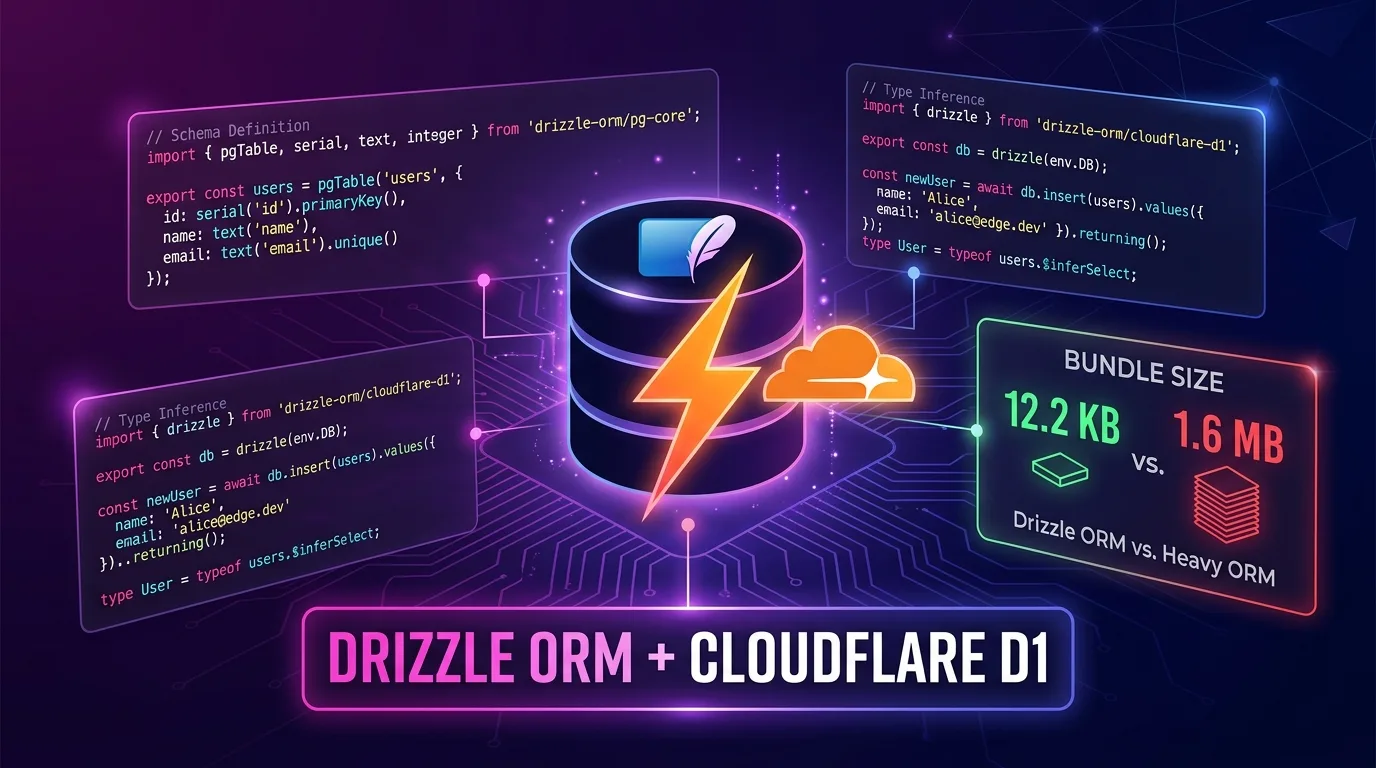
Cloudflare Workers에서 Prisma를 쓰다가 Cold Start 시간이 터무니없이 느려진 경험이 있는가? 원인은 단순하다. Prisma의 번들 크기가 1.6 MB다. Workers의 스크립트 크기 제한이 10 MB라지만, 1.6 MB짜리 ORM을 올리면 Cold Start에서 수백 밀리초가 증발한다.
Drizzle ORM은 정반대 철학으로 설계됐다. 번들 크기 12.2 KB (min+gzip). Prisma 대비 99.2% 작다. 코드 생성 단계가 없고, Rust 엔진도 없다. 순수 TypeScript로 SQL을 래핑한다. 그래서 에지 런타임에서 이상적으로 동작한다.
이 글에서는 Drizzle ORM과 Cloudflare D1을 결합해 완전한 타입 안전 에지 데이터베이스 아키텍처를 구축하는 방법을 단계별로 설명한다. Hono와 함께 REST API를 만들고, drizzle-kit으로 마이그레이션을 관리하며, 로컬 개발 환경까지 세팅한다.
Drizzle ORM vs Prisma: 에지 환경 비교
실제 프로덕션 환경에서 두 ORM을 비교하면 차이가 명확하다.
| 항목 | Drizzle ORM | Prisma 7+ |
|---|---|---|
| 번들 크기 (min+gzip) | 12.2 KB | 1.6 MB |
| Cold Start 영향 | 최소 (~50-100ms) | 낮음 (~80-150ms) |
| 에지 런타임 지원 | First-class | v7부터 지원 |
| 코드 생성 단계 | 없음 | 있음 (prisma generate) |
| 타입 추론 방식 | TypeScript 직접 추론 | 생성된 클라이언트 |
| SQL 제어 수준 | 높음 (SQL-first) | 중간 (추상화) |
| D1 공식 드라이버 | drizzle-orm/d1 |
없음 (커뮤니티) |
| 학습 곡선 | 중간 | 낮음 |
Prisma 7이 Rust 엔진을 제거하고 순수 TypeScript/WASM으로 전환한 건 맞다. 그러나 번들 크기에서 여전히 130배 차이가 난다. Workers처럼 매 요청마다 콜드 스타트가 일어날 수 있는 환경에선 이 차이가 중요하다.
Cloudflare D1이란
D1은 Cloudflare의 서버리스 SQLite 데이터베이스다. Workers 바인딩을 통해 직접 접근하므로 별도의 TCP 연결 오버헤드가 없다. 글로벌 읽기 복제본을 지원하며, 무료 플랜에서도 하루 쿼리 500만 건을 허용한다.
Cloudflare Workers 요청
        │
        ▼
  D1 Binding (env.DB)
        │ (같은 데이터센터 내 IPC)
        ▼
  SQLite 데이터베이스
  (D1 서버리스 인스턴스)
핵심은 HTTP 요청 없이 바인딩으로 D1에 접근한다는 점이다. 레이턴시가 외부 DB 연결의 10분의 1 수준이다.
프로젝트 초기 설정
1. Hono + Drizzle + D1 스캐폴딩
# Hono Worker 템플릿 생성
npm create cloudflare@latest my-d1-app -- --template hono

cd my-d1-app

# Drizzle 설치
npm install drizzle-orm
npm install -D drizzle-kit
2. D1 데이터베이스 생성
# D1 데이터베이스 생성
npx wrangler d1 create my-app-db

# 출력 예시:
# [[d1_databases]]
# binding = "DB"
# database_name = "my-app-db"
# database_id = "xxxxxxxx-xxxx-xxxx-xxxx-xxxxxxxxxxxx"
3. wrangler.jsonc 설정
// wrangler.jsonc
{
  "name": "my-d1-app",
  "main": "src/index.ts",
  "compatibility_date": "2025-01-01",
  "compatibility_flags": ["nodejs_compat"],
  "d1_databases": [
    {
      "binding": "DB",
      "database_name": "my-app-db",
      "database_id": "xxxxxxxx-xxxx-xxxx-xxxx-xxxxxxxxxxxx",
      "migrations_dir": "drizzle/migrations"
    }
  ]
}
4. drizzle.config.ts 설정
// drizzle.config.ts
import { defineConfig } from "drizzle-kit";

export default defineConfig({
  dialect: "sqlite",
  schema: "./src/db/schema.ts",
  out: "./drizzle/migrations",
  driver: "d1-http",
  dbCredentials: {
    accountId: process.env.CLOUDFLARE_ACCOUNT_ID!,
    databaseId: process.env.CLOUDFLARE_DATABASE_ID!,
    token: process.env.CLOUDFLARE_D1_TOKEN!,
  },
});
로컬 개발 팁: 로컬에서는
wrangler d1 migrations apply를 사용하므로drizzle.config.ts의driver와dbCredentials는 프로덕션 원격 마이그레이션 전용이다.
스키마 정의: TypeScript-First
Drizzle의 핵심 강점은 스키마 정의와 타입 추론이 하나로 합쳐진다는 점이다. prisma generate 같은 별도 단계가 필요 없다.
// src/db/schema.ts
import {
  sqliteTable,
  text,
  integer,
  real,
  blob,
} from "drizzle-orm/sqlite-core";
import { sql } from "drizzle-orm";

// 유저 테이블
export const users = sqliteTable("users", {
  id: integer("id").primaryKey({ autoIncrement: true }),
  email: text("email").notNull().unique(),
  name: text("name").notNull(),
  role: text("role", { enum: ["admin", "user", "guest"] })
    .notNull()
    .default("user"),
  createdAt: text("created_at")
    .notNull()
    .default(sql`(datetime('now'))`),
  updatedAt: text("updated_at")
    .notNull()
    .default(sql`(datetime('now'))`),
});

// 포스트 테이블
export const posts = sqliteTable("posts", {
  id: integer("id").primaryKey({ autoIncrement: true }),
  title: text("title").notNull(),
  slug: text("slug").notNull().unique(),
  content: text("content").notNull(),
  authorId: integer("author_id")
    .notNull()
    .references(() => users.id, { onDelete: "cascade" }),
  published: integer("published", { mode: "boolean" }).default(false),
  viewCount: integer("view_count").default(0),
  publishedAt: text("published_at"),
  createdAt: text("created_at")
    .notNull()
    .default(sql`(datetime('now'))`),
});

// 태그 테이블 (M:N 관계)
export const tags = sqliteTable("tags", {
  id: integer("id").primaryKey({ autoIncrement: true }),
  name: text("name").notNull().unique(),
  slug: text("slug").notNull().unique(),
});

export const postTags = sqliteTable("post_tags", {
  postId: integer("post_id")
    .notNull()
    .references(() => posts.id, { onDelete: "cascade" }),
  tagId: integer("tag_id")
    .notNull()
    .references(() => tags.id, { onDelete: "cascade" }),
});

// 타입 추론 — 코드 생성 없이 즉시 사용 가능
export type User = typeof users.$inferSelect;
export type NewUser = typeof users.$inferInsert;
export type Post = typeof posts.$inferSelect;
export type NewPost = typeof posts.$inferInsert;
export type Tag = typeof tags.$inferSelect;
Prisma와의 결정적 차이: prisma generate를 실행할 필요가 없다. 스키마 파일 자체가 TypeScript 타입의 원천이다. IDE 자동 완성도 즉시 작동한다.
마이그레이션 워크플로
SQL 마이그레이션 파일 생성
npx drizzle-kit generate이 명령은 drizzle/migrations/ 폴더에 SQL 파일을 생성한다:
-- drizzle/migrations/0000_initial.sql
CREATE TABLE `users` (
  `id` integer PRIMARY KEY AUTOINCREMENT NOT NULL,
  `email` text NOT NULL,
  `name` text NOT NULL,
  `role` text DEFAULT 'user' NOT NULL,
  `created_at` text DEFAULT (datetime('now')) NOT NULL,
  `updated_at` text DEFAULT (datetime('now')) NOT NULL
);
--> statement-breakpoint
CREATE UNIQUE INDEX `users_email_unique` ON `users` (`email`);
--> statement-breakpoint
CREATE TABLE `posts` (
  `id` integer PRIMARY KEY AUTOINCREMENT NOT NULL,
  `title` text NOT NULL,
  `slug` text NOT NULL,
  `content` text NOT NULL,
  `author_id` integer NOT NULL,
  `published` integer DEFAULT false,
  `view_count` integer DEFAULT 0,
  `published_at` text,
  `created_at` text DEFAULT (datetime('now')) NOT NULL,
  FOREIGN KEY (`author_id`) REFERENCES `users`(`id`) ON UPDATE no action ON DELETE cascade
);
마이그레이션 적용
# 로컬 D1에 적용 (개발)
npx wrangler d1 migrations apply DB --local

# 프로덕션 D1에 적용
npx wrangler d1 migrations apply DB --remote
Wrangler가 d1_migrations 테이블로 적용 이력을 관리한다. 중복 적용 걱정이 없다.
스키마 변경 예시
# 스키마 수정 후 새 마이그레이션 생성
npx drizzle-kit generate

# 생성된 마이그레이션 확인 후 적용
npx wrangler d1 migrations apply DB --local
Workers + Hono 통합
DB 클라이언트 초기화
// src/db/client.ts
import { drizzle } from "drizzle-orm/d1";
import * as schema from "./schema";

export type Env = {
  DB: D1Database;
};

export function createDb(d1: D1Database) {
  return drizzle(d1, { schema });
}

export type DrizzleDb = ReturnType<typeof createDb>;
Hono 앱 설정
// src/index.ts
import { Hono } from "hono";
import { createDb, type Env } from "./db/client";
import { usersRouter } from "./routes/users";
import { postsRouter } from "./routes/posts";

const app = new Hono<{ Bindings: Env }>();

// DB 미들웨어
app.use("*", async (c, next) => {
  c.set("db", createDb(c.env.DB));
  await next();
});

app.route("/api/users", usersRouter);
app.route("/api/posts", postsRouter);

app.get("/health", (c) => c.json({ status: "ok" }));

export default app;
Users 라우터 — 완전한 CRUD
// src/routes/users.ts
import { Hono } from "hono";
import { eq, like, desc, count } from "drizzle-orm";
import { users, posts, type NewUser } from "../db/schema";
import type { DrizzleDb, Env } from "../db/client";

const usersRouter = new Hono<{
  Bindings: Env;
  Variables: { db: DrizzleDb };
}>();

// GET /api/users — 페이지네이션 + 검색
usersRouter.get("/", async (c) => {
  const db = c.get("db");
  const { page = "1", limit = "20", q } = c.req.query();

  const pageNum = Math.max(1, parseInt(page));
  const limitNum = Math.min(100, parseInt(limit));
  const offset = (pageNum - 1) * limitNum;

  // WHERE 조건 동적 구성
  const whereClause = q ? like(users.name, `%${q}%`) : undefined;

  const [userList, totalResult] = await Promise.all([
    db
      .select()
      .from(users)
      .where(whereClause)
      .orderBy(desc(users.createdAt))
      .limit(limitNum)
      .offset(offset)
      .all(),
    db
      .select({ count: count() })
      .from(users)
      .where(whereClause)
      .get(),
  ]);

  return c.json({
    data: userList,
    pagination: {
      page: pageNum,
      limit: limitNum,
      total: totalResult?.count ?? 0,
      hasNext: offset + limitNum < (totalResult?.count ?? 0),
    },
  });
});

// GET /api/users/:id — 유저 + 포스트 수 조회
usersRouter.get("/:id", async (c) => {
  const db = c.get("db");
  const id = parseInt(c.req.param("id"));

  const user = await db
    .select({
      id: users.id,
      email: users.email,
      name: users.name,
      role: users.role,
      createdAt: users.createdAt,
      postCount: count(posts.id),
    })
    .from(users)
    .leftJoin(posts, eq(posts.authorId, users.id))
    .where(eq(users.id, id))
    .groupBy(users.id)
    .get();

  if (!user) {
    return c.json({ error: "User not found" }, 404);
  }

  return c.json(user);
});

// POST /api/users — 유저 생성
usersRouter.post("/", async (c) => {
  const db = c.get("db");
  const body = await c.req.json<NewUser>();

  // 이메일 중복 검사
  const existing = await db
    .select({ id: users.id })
    .from(users)
    .where(eq(users.email, body.email))
    .get();

  if (existing) {
    return c.json({ error: "Email already exists" }, 409);
  }

  const [newUser] = await db
    .insert(users)
    .values({
      email: body.email,
      name: body.name,
      role: body.role ?? "user",
    })
    .returning();

  return c.json(newUser, 201);
});

// PATCH /api/users/:id — 부분 업데이트
usersRouter.patch("/:id", async (c) => {
  const db = c.get("db");
  const id = parseInt(c.req.param("id"));
  const body = await c.req.json<Partial<NewUser>>();

  const [updated] = await db
    .update(users)
    .set({
      ...body,
      updatedAt: new Date().toISOString(),
    })
    .where(eq(users.id, id))
    .returning();

  if (!updated) {
    return c.json({ error: "User not found" }, 404);
  }

  return c.json(updated);
});

// DELETE /api/users/:id
usersRouter.delete("/:id", async (c) => {
  const db = c.get("db");
  const id = parseInt(c.req.param("id"));

  const [deleted] = await db
    .delete(users)
    .where(eq(users.id, id))
    .returning({ id: users.id });

  if (!deleted) {
    return c.json({ error: "User not found" }, 404);
  }

  return c.json({ message: "Deleted", id: deleted.id });
});

export { usersRouter };
고급 쿼리: 관계 조회
// src/routes/posts.ts — 관계 데이터 JOIN
import { Hono } from "hono";
import { eq, and, desc, inArray } from "drizzle-orm";
import { posts, users, tags, postTags } from "../db/schema";
import type { DrizzleDb, Env } from "../db/client";

const postsRouter = new Hono<{
  Bindings: Env;
  Variables: { db: DrizzleDb };
}>();

// GET /api/posts/:slug — 포스트 상세 (유저 + 태그 포함)
postsRouter.get("/:slug", async (c) => {
  const db = c.get("db");
  const slug = c.req.param("slug");

  // 1. 포스트 + 작성자 조회
  const post = await db
    .select({
      id: posts.id,
      title: posts.title,
      slug: posts.slug,
      content: posts.content,
      published: posts.published,
      viewCount: posts.viewCount,
      publishedAt: posts.publishedAt,
      author: {
        id: users.id,
        name: users.name,
        email: users.email,
      },
    })
    .from(posts)
    .innerJoin(users, eq(posts.authorId, users.id))
    .where(and(eq(posts.slug, slug), eq(posts.published, true)))
    .get();

  if (!post) {
    return c.json({ error: "Post not found" }, 404);
  }

  // 2. 태그 조회 (별도 쿼리 — D1은 복잡한 서브쿼리보다 단순 쿼리 2개가 빠름)
  const postTagList = await db
    .select({ name: tags.name, slug: tags.slug })
    .from(tags)
    .innerJoin(postTags, eq(postTags.tagId, tags.id))
    .where(eq(postTags.postId, post.id))
    .all();

  // 3. 조회수 증가 (fire-and-forget)
  c.executionCtx.waitUntil(
    db
      .update(posts)
      .set({ viewCount: post.viewCount + 1 })
      .where(eq(posts.id, post.id))
      .run()
  );

  return c.json({ ...post, tags: postTagList });
});

export { postsRouter };c.executionCtx.waitUntil()을 사용한 조회수 증가는 Workers의 핵심 패턴이다. 응답 반환 후에도 백그라운드로 DB 업데이트를 실행한다.
로컬 개발: D1 로컬 SQLite 연동
# 로컬 개발 서버 시작
npx wrangler dev

# 별도 터미널에서 마이그레이션 적용
npx wrangler d1 migrations apply DB --local
Wrangler는 로컬 D1 상태를 .wrangler/state/v3/d1/ 폴더에 SQLite 파일로 저장한다. 개발 서버를 재시작해도 데이터가 유지된다.
로컬 DB 직접 조회:
npx wrangler d1 execute DB --local --command "SELECT * FROM users LIMIT 5;"로컬 시드 데이터 삽입:
npx wrangler d1 execute DB --local --file ./drizzle/seed.sql트랜잭션과 배치 처리
D1은 서버리스 SQLite기 때문에 트랜잭션을 지원하지만, Drizzle을 통해 더 안전하게 사용할 수 있다.
// 트랜잭션: 유저 + 포스트 동시 생성
async function createUserWithPost(
  db: DrizzleDb,
  userData: NewUser,
  postData: Omit<NewPost, "authorId">
) {
  return await db.transaction(async (tx) => {
    const [user] = await tx
      .insert(users)
      .values(userData)
      .returning();

    const [post] = await tx
      .insert(posts)
      .values({ ...postData, authorId: user.id })
      .returning();

    return { user, post };
  });
}
D1 배치 API를 활용한 멀티 쿼리 최적화:
// D1 Batch API — 네트워크 왕복 1회로 여러 쿼리 실행
async function batchInsertPosts(db: DrizzleDb, postsData: NewPost[]) {
  // Drizzle의 batch 헬퍼 (D1 특화)
  const statements = postsData.map((post) =>
    db.insert(posts).values(post)
  );

  // 단일 HTTP 요청으로 전체 배치 처리
  await db.batch(statements);
}db.batch()는 D1의 HTTP API를 단 1번 호출하면서 여러 쿼리를 실행한다. INSERT 1000개를 개별로 실행하면 1000번의 왕복이 필요하지만, 배치로 처리하면 1번이다.
비용 최적화: D1 무료 플랜 한도 이내로 운영하기
D1 무료 플랜 한도와 Drizzle로 최적화하는 방법:
| 항목 | 무료 한도 | 유료 (Workers Paid) |
|---|---|---|
| 읽기 요청 | 하루 500만 건 | 무제한 |
| 쓰기 요청 | 하루 10만 건 | 무제한 |
| 저장 용량 | 5 GB | 25 GB |
| DB 수 | 10개 | 무제한 |
쿼리 수를 줄이는 Drizzle 패턴:
// ❌ N+1 쿼리 문제
const postList = await db.select().from(posts).all();
for (const post of postList) {
  const author = await db
    .select()
    .from(users)
    .where(eq(users.id, post.authorId))
    .get(); // 포스트 수만큼 쿼리 발생
}

// ✅ JOIN으로 1번에 해결
const postListWithAuthor = await db
  .select({
    postId: posts.id,
    title: posts.title,
    authorName: users.name,
  })
  .from(posts)
  .innerJoin(users, eq(posts.authorId, users.id))
  .all();
// ✅ 자주 읽는 데이터 → KV 캐싱으로 D1 읽기 요청 절감
export type CacheEnv = {
DB: D1Database;
KV: KVNamespace;
};
async function getPostWithCache(
db: DrizzleDb,
kv: KVNamespace,
slug: string
) {
const cacheKey = `post:${slug}`;
// 캐시 히트
const cached = await kv.get(cacheKey, "json");
if (cached) return cached;
// 캐시 미스 → D1 조회 후 캐싱
const post = await db
.select()
.from(posts)
.where(eq(posts.slug, slug))
.get();
if (post) {
// 5분 TTL 캐싱
await kv.put(cacheKey, JSON.stringify(post), { expirationTtl: 300 });
}
return post;
}D1 읽기 요청 단가는 100만 건당 $0.001이다. KV로 자주 읽는 데이터를 캐싱하면 D1 비용을 90% 이상 절감할 수 있다.
타입 안전 API 클라이언트: Hono RPC와 결합
Drizzle의 타입을 Hono RPC로 프론트엔드까지 전파하면 진정한 End-to-End 타입 안전성을 달성한다.
// src/index.ts — Hono RPC 타입 내보내기
import { Hono } from "hono";
import type { User, Post } from "./db/schema";

const app = new Hono<{ Bindings: Env }>();

const routes = app
  .get("/api/users", async (c) => {
    // ... 구현
    return c.json({ data: [] as User[] });
  })
  .post("/api/users", async (c) => {
    // ... 구현
    return c.json({} as User, 201);
  });

export type AppType = typeof routes;
export default app;
// 프론트엔드 (React / Next.js)
import { hc } from "hono/client";
import type { AppType } from "../worker/src/index";
const client = hc<AppType>("https://my-app.workers.dev");
// 완전한 타입 추론 — D1 스키마에서 프론트엔드까지 이어짐
const response = await client.api.users.$get();
const { data } = await response.json();
// data는 User[] 타입 — IDE 자동 완성 100% 작동스키마 정의 → Drizzle 타입 → Hono 응답 → RPC 클라이언트로 타입이 자동으로 전파된다. prisma generate, tRPC 설정, GraphQL 스키마 없이 순수 TypeScript만으로 End-to-End 타입 안전성을 구현한다.
CI/CD: GitHub Actions 배포 파이프라인
# .github/workflows/deploy.yml
name: Deploy to Cloudflare Workers

on:
  push:
    branches: [main]

jobs:
  deploy:
    runs-on: ubuntu-latest
    steps:
      - uses: actions/checkout@v4

      - name: Setup Node.js
        uses: actions/setup-node@v4
        with:
          node-version: "20"
          cache: "npm"

      - name: Install dependencies
        run: npm ci

      - name: TypeScript 타입 검사
        run: npx tsc --noEmit

      - name: D1 마이그레이션 적용 (프로덕션)
        env:
          CLOUDFLARE_API_TOKEN: ${{ secrets.CLOUDFLARE_API_TOKEN }}
          CLOUDFLARE_ACCOUNT_ID: ${{ secrets.CLOUDFLARE_ACCOUNT_ID }}
        run: npx wrangler d1 migrations apply DB --remote

      - name: Workers 배포
        env:
          CLOUDFLARE_API_TOKEN: ${{ secrets.CLOUDFLARE_API_TOKEN }}
        run: npx wrangler deploy
마이그레이션 → 배포 순서가 중요하다. 마이그레이션을 먼저 적용해야 새 Workers 코드가 새 스키마를 참조할 수 있다.
Drizzle Studio: GUI 없이 DB 시각화
# 로컬 D1과 연결된 Drizzle Studio 실행
npx drizzle-kit studio
브라우저에서 https://local.drizzle.studio를 열면 D1 데이터를 GUI로 조회하고 편집할 수 있다. Prisma Studio에 익숙하다면 동일한 경험이다.
성능 벤치마크: D1 실제 레이턴시
Workers에서 D1을 사용할 때 실제 측정값 (Cloudflare 공식 문서 기준):
| 쿼리 유형 | 평균 레이턴시 |
|---|---|
| 단순 SELECT (인덱스) | 1-5ms |
| JOIN 쿼리 | 5-15ms |
| INSERT | 5-10ms |
| 복잡한 집계 쿼리 | 10-50ms |
| 배치 INSERT (100건) | 10-20ms |
외부 PostgreSQL (Neon, Supabase 등)과 비교하면 Workers 내부에서 D1 바인딩 호출이 TCP 연결 없이 이루어지므로 레이턴시가 3-5배 낮다. TTFB 100ms 이하를 목표로 한다면 D1이 최선의 선택이다.
D1 vs 다른 에지 DB 선택 기준
| 시나리오 | 추천 |
|---|---|
| Cloudflare 올인원 스택 | D1 + Drizzle |
| 멀티 클라우드 (Vercel + CF 혼용) | Turso + Drizzle |
| PostgreSQL 기능 필요 (JSONB, Full-text) | Neon + Drizzle |
| 실시간 동기화 필요 | Supabase + Drizzle |
| 복잡한 분석 쿼리 | 외부 PostgreSQL |
Cloudflare 생태계에만 있다면 D1이 단연 최선이다. 멀티 클라우드가 필요하다면 libSQL 기반의 Turso가 D1과 동일한 Drizzle API를 사용하면서 포터블하다.
마이그레이션 체크리스트
Prisma에서 Drizzle로 전환할 때 확인할 항목:
schema.prisma→src/db/schema.ts변환prisma generate스크립트 제거PrismaClient인스턴스 →drizzle(env.DB)교체- Prisma의
findMany,findUnique→ Drizzle의select().from()패턴으로 변환 - Prisma의
include(관계 조회) → Drizzle의innerJoin/leftJoin으로 변환 prisma migrate dev→drizzle-kit generate+wrangler d1 migrations apply
변환이 번거롭게 느껴질 수 있지만, 한 번 Drizzle에 익숙해지면 SQL을 직접 제어하는 느낌이 훨씬 직관적이다. ORM이 SQL을 숨기는 게 아니라 SQL을 TypeScript로 표현하는 도구라는 철학이다.
결론
Drizzle ORM + Cloudflare D1 조합은 2026년 에지 풀스택의 가장 효율적인 선택지 중 하나다.
- 번들 크기 12.2 KB: Workers Cold Start에 미치는 영향이 사실상 없다
- 코드 생성 없는 타입 추론: 스키마 파일 하나로 전체 타입 시스템 구성
- D1 바인딩: 외부 DB 연결 없이 IPC로 초저지연 접근
- Hono RPC 연동: DB 스키마에서 프론트엔드까지 타입 자동 전파
Prisma의 1.6 MB 번들이 Workers 환경에서 문제가 됐다면, Drizzle로의 전환은 번들 크기만의 문제가 아니다. ORM을 마법 상자로 쓰는 대신 SQL을 TypeScript로 표현한다는 철학적 전환이기도 하다.
관련 글: Hono RPC와 Cloudflare Workers: TanStack Query v5 풀스택 타입 안전성에서 Drizzle API와 Hono RPC를 조합한 완전한 풀스택 예제를 확인할 수 있다.