Migrate Vercel to Cloudflare OpenNext: Cut Costs 90%
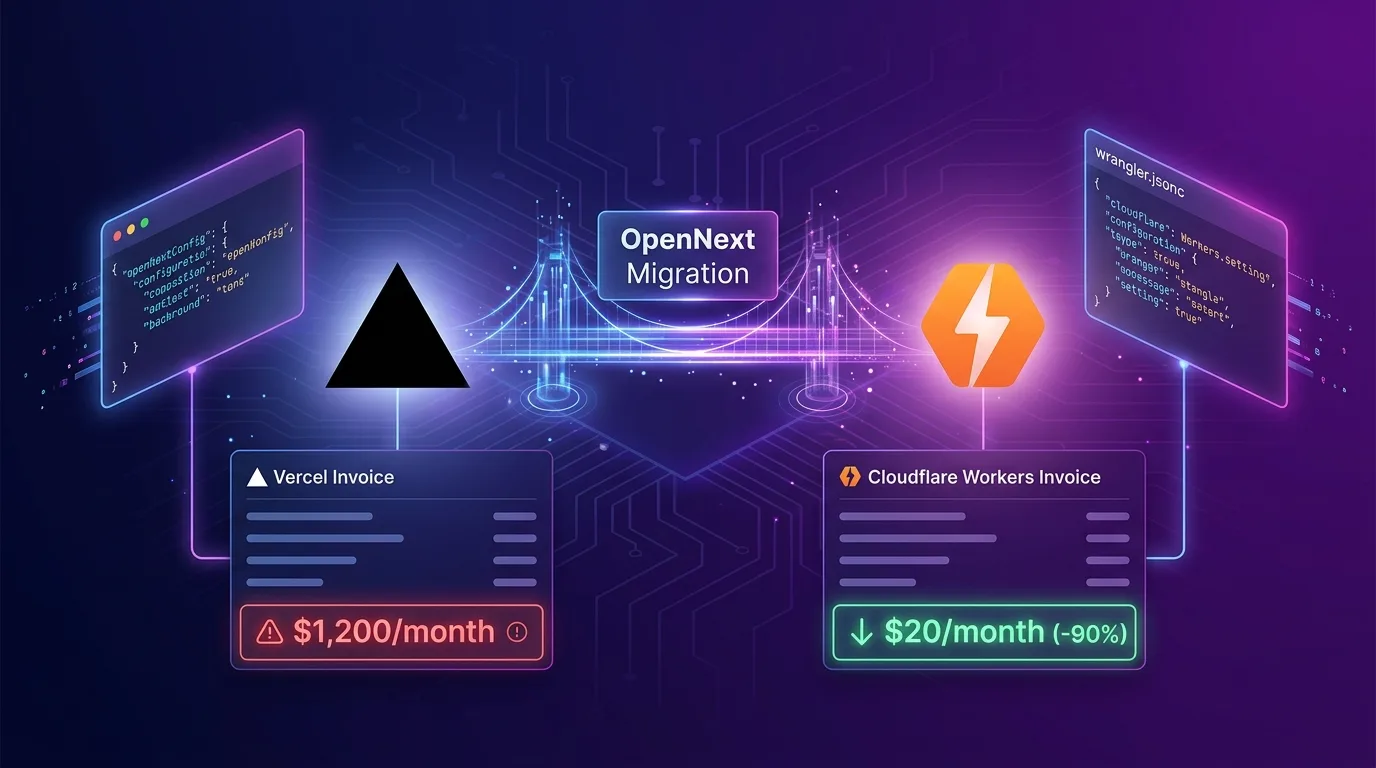
The Vercel Bill Shock Holding Back Startup Growth
Next.js is the undisputed standard for web frontend and full-stack development today. Most engineering teams naturally launch their projects on Vercel, the platform behind Next.js.
Vercel’s developer experience (DX) is exceptional. A single git push triggers zero-downtime deployments, generates preview URLs, and handles image optimization and Incremental Static Regeneration (ISR) out of the box.
However, as your application grows and monthly active users (MAU) or traffic spike, Vercel can quickly transform into a severe cloud bill surprise.
[Vercel Pro Plan Base: $20/mo]
   + Fast Data Transfer (Egress): $0.15 per GB ($150 for 1TB)
   + Serverless Execution (GB-hours): $0.18/GB-hr over limits
   + Image Optimization: $5 per 1,000 images beyond 5,000
   + Build Minutes: $20 per 1,000 min beyond base limit
---------------------------------------------------
Actual Monthly Bill: $1,250 ~ $3,500+ /mo
Vercel’s egress (data transfer out) and image optimization charges are especially punishing—viral campaigns or sudden traffic bursts can trigger accidental bills worth thousands of dollars overnight.
To solve this exact problem, the open-source ecosystem introduced OpenNext. With OpenNext, you can deploy Next.js applications to Cloudflare Workers’ edge serverless infrastructure without Vercel vendor lock-in, slashing monthly cloud costs by over 90% for identical traffic.
In this guide, we cover everything from itemized cost comparisons between Vercel and Cloudflare to OpenNext (@opennextjs/cloudflare) architecture, step-by-step migration instructions, Node.js API compatibility fixes, and real-world troubleshooting.
Itemized Cost Comparison: Vercel vs Cloudflare Workers
Let’s compare the monthly bill across both platforms based on an identical workload: 50 million monthly pageviews, 2TB data transfer, and 50,000 optimized images.
| Pricing Item | Vercel (Pro Plan + Overage) | Cloudflare Workers (Paid Plan) | Savings |
|---|---|---|---|
| Base Plan Fee | $20 / user / mo | $5 / mo (includes 10M requests) | -75% |
| Serverless Compute | $0.18 / GB-hour (~$360) | $0.30 per million requests after 10M (~$12) | -96.6% |
| Egress (Traffic) | $150 for 2TB ($0.15/GB) | $0 (Zero Egress Fees) | -100% |
| Image Optimization | $225 for 50k images | Cloudflare Images ($5/mo) or R2 | -97.7% |
| Build Time | $100 for 6,000 build mins | Free via GitHub Actions ($0) | -100% |
| Total Estimated Bill | $855.00 / mo | $22.00 / mo | -97.4% Savings |
Cloudflare maintains an industry-disrupting $0 Egress fee policy, while its serverless compute cost is roughly one-tenth that of Vercel. Migrating to OpenNext lets you scale your infrastructure confidently without worrying about unexpected bandwidth charges.
How OpenNext Works: Porting Next.js to Edge Runtimes
Internally, Next.js is tightly coupled with the Node.js runtime and Vercel’s proprietary proxy. OpenNext acts as an adapter layer that parses your Next.js build output (.next) and transpiles it into platform-agnostic standard JavaScript and edge serverless code compatible with Cloudflare’s workerd engine.
[Next.js App Router Project]
       |
       v  `npx opennextjs-cloudflare`
+----------------------------------------------------------------+
| OpenNext Bundling Engine                                       |
|                                                                |
|  ├── Server Bundle  --> Cloudflare Workers (workerd V8 Isolate)|
|  ├── Static Assets  --> Cloudflare Workers Static Assets / R2  |
|  └── Image Optimizer--> Cloudflare Image Resizing / Worker     |
+----------------------------------------------------------------+
       |
       v  `npx wrangler deploy`
[Deployed across Cloudflare's 300+ Global Edge Locations]
Supported Next.js Features
- Full support for App Router & Pages Router
- Server Components (RSC) & Streaming rendering
- Server Actions & Route Handlers (
POST/GETAPIs) - ISR (Incremental Static Regeneration) and Revalidation (
revalidatePath,revalidateTag) - Automatic optimization for Next.js Image Component (
<Image />)
Step 1: Pre-Migration Compatibility Check
Before moving your Next.js application to Cloudflare Workers, check these key factors required by edge runtime constraints.
1. Remove Native Node.js C++ Bindings
Cloudflare Workers runs on V8 isolates (workerd), meaning libraries relying on Node.js C++ native bindings—such as fs, child_process, or native sqlite3—cannot be executed.
bcrypt-> Replace withbcryptjsor Web Crypto API (crypto.subtle)jsonwebtoken-> Replace withjoseorhono/jwtpg/mysql2-> Replace withpg(with Node-compat mode) or Cloudflare Hyperdrive / Drizzle ORM
2. Enable nodejs_compat Flag
Recent versions of OpenNext utilize Cloudflare’s nodejs_compat compatibility flag, providing built-in support for core Node.js APIs including Buffer, process, AsyncLocalStorage, and stream.
Step 2: Install and Configure @opennextjs/cloudflare
Run the setup directly inside your existing Next.js project root directory.
Install Packages
# Install OpenNext Cloudflare adapter and Wrangler
npm install --save-dev @opennextjs/cloudflare wrangler@latest
Create open-next.config.ts
Create the OpenNext configuration file (open-next.config.ts) in your project root.
// open-next.config.ts
import type { OpenNextConfig } from "@opennextjs/aws/types/open-next.js";
import cache from "@opennextjs/cloudflare/kv-cache";

const config: OpenNextConfig = {
  default: {
    override: {
      wrapper: "cloudflare-node",
      converter: "edge",
      // Bind Cloudflare KV for ISR and tag caching
      incrementalCache: async () => cache,
      tagCache: async () => cache,
      queue: "dummy",
    },
  },
  middleware: {
    external: true,
    override: {
      wrapper: "cloudflare-edge",
      converter: "edge",
    },
  },
};

export default config;
Create wrangler.jsonc
Add Workers and KV cache settings to wrangler.jsonc for Cloudflare deployment.
// wrangler.jsonc
{
  "$schema": "node_modules/wrangler/config-schema.json",
  "name": "my-nextjs-app",
  "main": ".open-next/worker.js",
  "compatibility_date": "2026-01-01",
  "compatibility_flags": ["nodejs_compat"],

  // Serve static Next.js assets (CSS, JS, images) via Workers Static Assets
  "assets": {
    "directory": ".open-next/assets",
    "binding": "ASSETS"
  },

  // KV namespace for storing ISR cache
  "kv_namespaces": [
    {
      "binding": "NEXT_CACHE_WORKERS_KV",
      "id": "xxxxxxxxxxxxxxxxxxxxxxxxxxxxxxxx"
    }
  ],

  // Enable Smart Placement & Hyperdrive for database connections
  "placement": {
    "mode": "smart"
  }
}
Step 3: Local Build and Deployment Pipeline
Update package.json scripts to connect the OpenNext build process with Wrangler deployment.
// package.json
{
  "name": "my-nextjs-app",
  "version": "1.0.0",
  "scripts": {
    "dev": "next dev",
    "build": "next build",
    "build:worker": "opennextjs-cloudflare build",
    "preview": "opennextjs-cloudflare build && wrangler dev",
    "deploy": "opennextjs-cloudflare build && wrangler deploy"
  }
}
Local Preview Test
Test locally on top of Cloudflare’s workerd runtime before deploying to production.
npm run previewOnce the local URL (http://localhost:8787) appears in your terminal, open your browser to verify Server Actions, routing, and SSR page rendering.
Deploying to Cloudflare
npm run deployIn under 30 seconds, your entire Next.js application deploys to Cloudflare’s global network spanning over 300 edge locations!
Step 4: Automated CI/CD with GitHub Actions
Set up a GitHub Actions pipeline to replace Vercel’s automated git deployment.
# .github/workflows/deploy.yml
name: Deploy Next.js to Cloudflare Workers

on:
  push:
    branches:
      - main

jobs:
  deploy:
    runs-on: ubuntu-latest
    name: Build & Deploy
    steps:
      - name: Checkout Repository
        uses: actions/checkout@v4

      - name: Setup Node.js
        uses: actions/setup-node@v4
        with:
          node-version: 20
          cache: "npm"

      - name: Install Dependencies
        run: npm ci

      - name: Build OpenNext Worker
        run: npm run build:worker

      - name: Deploy to Cloudflare Workers
        uses: cloudflare/wrangler-action@v3
        with:
          apiToken: ${{ secrets.CLOUDFLARE_API_TOKEN }}
          accountId: ${{ secrets.CLOUDFLARE_ACCOUNT_ID }}
          command: deploy
This pipeline leverages GitHub Actions’ free tier build minutes to deliver a completely free ($0) automated deployment system—removing Vercel Pro Plan’s build minute limitations.
Real-World Troubleshooting: Common Migration Errors
Error 1: Dynamic Code Evaluation (eval) is not allowed
Cause: Certain packages (such as legacy ORMs or template engines) invoke eval() or new Function() internally, violating workerd security policies.
Fix: Add Webpack configuration overrides in next.config.js or update the dependencies to modern ESM-compatible versions.
// next.config.js
module.exports = {
  webpack: (config, { isServer }) => {
    if (isServer) {
      config.ignoreWarnings = [{ module: /node_modules/ }];
    }
    return config;
  },
};
Error 2: ISR revalidatePath Not Working
Cause: The Cloudflare KV namespace binding name does not match OpenNext’s expected convention.
Fix: Ensure the binding name in wrangler.jsonc under kv_namespaces is explicitly set to NEXT_CACHE_WORKERS_KV.
Error 3: Environment Variables (process.env) Not Recognized
Cause: Cloudflare Workers strictly separates build-time injected environment variables from runtime secrets.
Fix: Prefix client-facing variables in .env with NEXT_PUBLIC_, and inject server-side secrets using the wrangler secret put command.
npx wrangler secret put DATABASE_URLMigration Case Study: Cost Reduction Report
Here are the real-world results from Company A, a B2B SaaS business that completed a Vercel -> Cloudflare Workers OpenNext migration.
[Before Migration: Vercel Enterprise/Pro]
- Average Monthly Requests: 85 million
- Average Monthly Egress Traffic: 4.2 TB
- Image Optimization: 120,000 images
- Monthly Bill: $2,840.00 / mo

[After Migration: Cloudflare Workers + R2]
- Workers Paid Base Fee: $5.00
- Additional Request Fees: $22.50
- Egress Traffic Fee: $0.00 (Free)
- R2 Storage & Image Resizing: $12.00
- Monthly Bill: $39.50 / mo

=> Total Cost Reduction: 98.6% ($2,840 -> $39.50)
Company A slashed its infrastructure overhead by over 98% while improving performance—reducing cold start latency from 250ms on Vercel down to 12ms on Workers.
Conclusion: Break Free from Vendor Lock-In
Vercel is an exceptional platform for prototyping ideas quickly. However, sticking with Vercel’s premium pricing tier as your service expands can place a heavy burden on your bottom line.
Combining OpenNext with Cloudflare Workers delivers three major advantages:
- 100% Next.js Code Reuse: Retain all core features including App Router, Server Actions, and ISR.
- $0 Egress Bandwidth Fees: Scale traffic without fear of unexpected network transfer spikes.
- Global Edge Rendering: Serve responses instantly with sub-10ms cold starts across 300+ global edge locations.
Start migrating smaller side projects or microservices to OpenNext today and experience infrastructure cost savings of over 90%.
Related Post: Check out our edge database guide in Drizzle ORM + Cloudflare D1: Cut Bundle Size 99% with Edge SQLite Architecture.