Cloudflare DO WebSocket Hibernation: Reduce Costos 99%
Implementé un chat en tiempo real con DO y la factura es extraña
Cloudflare Durable Objects (DO) parece la plataforma perfecta para implementar chats en tiempo real, juegos multijugador y editores colaborativos. Supera la limitación sin estado de Workers, permitiendo gestionar memoria persistente y WebSockets en un solo lugar.
Sin embargo, unos días después de desplegar la aplicación de chat, la factura genera un gran impacto. Con solo unas pocas docenas de usuarios concurrentes, el costo es 10 veces mayor de lo esperado.
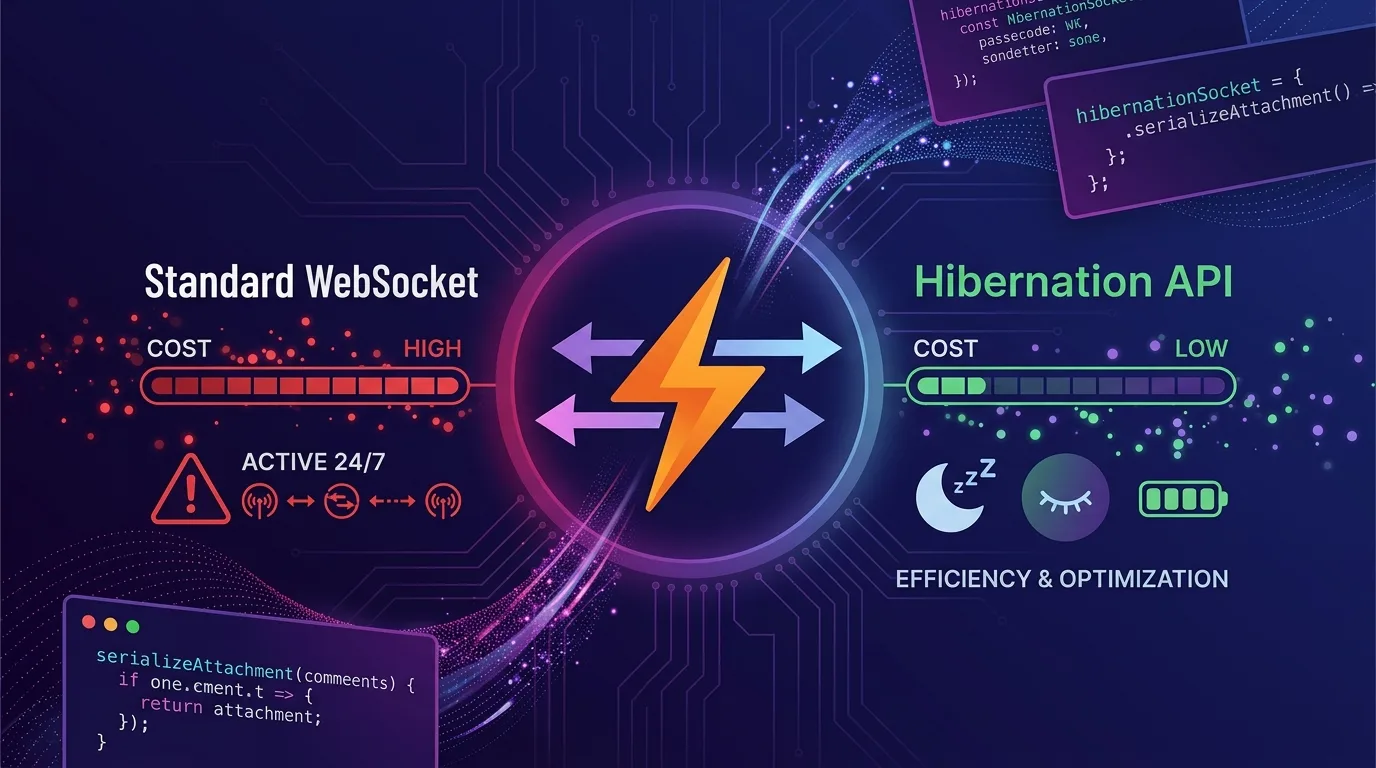
La causa es el modelo de facturación por GB-segundos (GB-s). Al utilizar la API estándar de WebSocket, incluso si los clientes solo están conectados sin enviar ningún mensaje, el DO permanece activo en memoria y se cobra durante todo ese tiempo. Si 100 personas se conectan a una sala de chat y solo envían mensajes de manera ocasional, el DO permanece activo las 24 horas del día.
La Hibernation API es la solución a este problema. Permite que el DO se elimine de la memoria incluso mientras los clientes mantienen sus conexiones abiertas. Cuando llega un nuevo mensaje, se despierta automáticamente para procesarlo y luego vuelve a hibernar. El costo solo se genera durante el tiempo en que el código se ejecuta realmente.
En este artículo, abordaremos las diferencias entre el DO WebSocket estándar y la Hibernation API, la implementación de una aplicación de chat real, la gestión del estado con serializeAttachment y una simulación detallada de costos.
Comprendiendo la estructura de facturación de DO
Antes de utilizar la Hibernation API, es necesario entender exactamente cómo funciona la estructura de facturación.
| Concepto de facturación | Descripción | Precio unitario |
|---|---|---|
| Solicitudes (Requests) | Solicitudes HTTP, sesiones RPC, mensajes WebSocket | $0.15 por millón |
| Duración de cómputo (Duration) | Tiempo del DO en memoria × 128MB | $12.50 por GB-s |
| Almacenamiento | Lectura/Escritura SQLite, almacenamiento KV | Por separado |
Regla clave: Los mensajes WebSocket se facturan a una proporción de 20:1. 100 mensajes WebSocket entrantes = 5 solicitudes facturables.
El problema: La facturación por duración (Duration) se dispara. Un DO permanece en memoria durante al menos 10 segundos tras el último evento, y un WebSocket estándar reinicia continuamente este temporizador.
Simulación de costos: WebSocket estándar
100 salas de chat × 50 usuarios concurrentes, 8 horas de actividad diaria, cálculo mensual:
Duration: 100 salas × 1 DO × 128MB × 8 horas × 30 días
= 100 × 0.128GB × 8h × 30d × 3600s/h
= 11,059,200 GB-s

Costo: 11,059,200 × $12.50 / 1,000,000
≈ $138/mes (solo Duration)
Al usar la Hibernation API: Si no hay mensajes, el DO entra en hibernación tras 10 segundos. El tiempo de procesamiento real de mensajes representa solo entre el 1% y el 5% del tiempo total de conexión.
Asumiendo un 2% de tiempo activo:
11,059,200 × 0.02 = 221,184 GB-s
Costo: 221,184 × $12.50 / 1,000,000
≈ $2.76/mes (Duration)
Con el mismo tráfico, se logra una reducción del 98% en costos de Duration.
Comparativa: WebSocket estándar vs. Hibernation API
WebSocket estándar (patrón con sobrecosto)
// src/chat-room.ts — WebSocket estándar (alto costo)
export class ChatRoom implements DurableObject {
  private sessions: Map<WebSocket, { userId: string; username: string }> = new Map();
  private state: DurableObjectState;

  constructor(state: DurableObjectState, env: Env) {
    this.state = state;
  }

  async fetch(request: Request): Promise<Response> {
    const upgradeHeader = request.headers.get("Upgrade");
    if (!upgradeHeader || upgradeHeader !== "websocket") {
      return new Response("Expected WebSocket", { status: 426 });
    }

    const [client, server] = Object.values(new WebSocketPair());

    // Problema: server.accept() fuerza a que el DO permanezca en estado activo
    server.accept();

    server.addEventListener("message", (event) => {
      this.handleMessage(server, event.data);
    });

    server.addEventListener("close", () => {
      this.sessions.delete(server);
    });

    const userId = new URL(request.url).searchParams.get("userId") ?? "anonymous";
    this.sessions.set(server, { userId, username: userId });

    return new Response(null, { status: 101, webSocket: client });
  }

  private handleMessage(sender: WebSocket, message: string | ArrayBuffer) {
    // Transmitir a todas las sesiones (broadcast)
    const data = JSON.parse(message as string);
    this.sessions.forEach((info, ws) => {
      if (ws !== sender && ws.readyState === WebSocket.READY_STATE_OPEN) {
        ws.send(JSON.stringify({ ...data, from: info.userId }));
      }
    });
  }
}
El problema con este código: Al usar server.accept(), el DO nunca hiberna. Dado que this.sessions es un Map en memoria, todas las sesiones conectadas se mantienen permanentemente en memoria.
Hibernation API (patrón correcto)
// src/chat-room-hibernation.ts — Hibernation API
export class ChatRoom implements DurableObject {
  private state: DurableObjectState;
  private env: Env;

  constructor(state: DurableObjectState, env: Env) {
    this.state = state;
    this.env = env;
  }

  async fetch(request: Request): Promise<Response> {
    const upgradeHeader = request.headers.get("Upgrade");
    if (!upgradeHeader || upgradeHeader !== "websocket") {
      return new Response("Expected WebSocket", { status: 426 });
    }

    const url = new URL(request.url);
    const userId = url.searchParams.get("userId") ?? crypto.randomUUID();
    const username = url.searchParams.get("username") ?? "Anonymous";
    const roomId = url.searchParams.get("roomId") ?? "default";

    const [client, server] = Object.values(new WebSocketPair());

    // Diferencia clave: ctx.acceptWebSocket() habilita la hibernación
    this.state.acceptWebSocket(server);

    // serializeAttachment: Adjunta metadatos a este socket WebSocket
    // Se mantienen vinculados a cada socket incluso tras la hibernación
    server.serializeAttachment({ userId, username, roomId });

    // Transmitir mensaje de entrada
    this.broadcast(server, {
      type: "system",
      message: `${username} se ha unido`,
      timestamp: Date.now(),
    });

    return new Response(null, { status: 101, webSocket: client });
  }

  // Manejadores de eventos de la Hibernation API: declarados como métodos normales
  async webSocketMessage(ws: WebSocket, message: string | ArrayBuffer): Promise<void> {
    // deserializeAttachment: Restaura los datos adjuntos al despertar tras la hibernación
    const { userId, username, roomId } = ws.deserializeAttachment() as {
      userId: string;
      username: string;
      roomId: string;
    };

    let data: any;
    try {
      data = JSON.parse(message as string);
    } catch {
      ws.send(JSON.stringify({ type: "error", message: "Invalid JSON" }));
      return;
    }

    // Procesar mensaje de chat
    if (data.type === "message") {
      const chatMessage = {
        type: "message",
        userId,
        username,
        content: data.content,
        timestamp: Date.now(),
        id: crypto.randomUUID(),
      };

      // Guardar historial (SQLite integrado en el DO)
      await this.state.storage.put(`msg:${chatMessage.id}`, chatMessage);

      // Transmitir a todos los participantes de la sala
      this.broadcast(ws, chatMessage);
    }
  }

  // Manejador de cierre de conexión WebSocket
  async webSocketClose(ws: WebSocket, code: number, reason: string): Promise<void> {
    const { username, roomId } = ws.deserializeAttachment() as {
      username: string;
      roomId: string;
    };

    this.broadcast(ws, {
      type: "system",
      message: `${username} ha salido`,
      timestamp: Date.now(),
    });
  }

  // Manejador de errores de WebSocket
  async webSocketError(ws: WebSocket, error: unknown): Promise<void> {
    console.error("WebSocket error:", error);
    ws.close(1011, "Internal Error");
  }

  // Transmitir a todos los WebSockets de la sala actual
  private broadcast(sender: WebSocket, data: object): void {
    const message = JSON.stringify(data);
    const senderAttachment = sender.deserializeAttachment() as { roomId: string };

    // getWebSockets(): Retorna todos los sockets conectados actualmente, incluso en hibernación
    for (const ws of this.state.getWebSockets()) {
      const attachment = ws.deserializeAttachment() as { roomId: string };
      // Enviar solo a los sockets de la misma sala (excluyendo al remitente)
      if (ws !== sender && attachment.roomId === senderAttachment.roomId) {
        try {
          ws.send(message);
        } catch {
          // Ignorar sockets ya cerrados
        }
      }
    }
  }
}
Conceptos clave de la Hibernation API
ctx.acceptWebSocket() vs server.accept()
server.accept() |
ctx.acceptWebSocket() |
|
|---|---|---|
| Soporte de hibernación | ❌ Imposible | ✅ Posible |
| Manejador de eventos | addEventListener | Método webSocketMessage |
| Gestión de sesiones | Map en memoria | getWebSockets() |
| Persistencia de estado | Requiere mantener memoria | serializeAttachment |
serializeAttachment / deserializeAttachment
La hibernación elimina completamente el DO de la memoria. Cuando llega un nuevo mensaje, se crea una nueva instancia. Por lo tanto, es indispensable adjuntar los metadatos necesarios a cada socket WebSocket:
// Adjuntar (serialización automática antes de hibernar)
server.serializeAttachment({
  userId: "user-123",
  username: "Alice",
  roomId: "room-general",
  joinedAt: Date.now(),
  permissions: ["read", "write"],
});

// Restaurar (al despertar tras la hibernación)
async webSocketMessage(ws: WebSocket, message: string): Promise<void> {
  const state = ws.deserializeAttachment() as {
    userId: string;
    username: string;
    roomId: string;
    joinedAt: number;
    permissions: string[];
  };

  // Es seguro usar state.userId, state.username, etc.
}
Nota importante: Los datos de serializeAttachment deben ser serializables en JSON. No es posible almacenar funciones, instancias de clases o referencias circulares.
getWebSockets() — Consulta de sockets conectados actualmente
// Consultar el número de usuarios conectados por sala
getConnectedUsers(roomId: string): number {
  return this.state.getWebSockets()
    .filter(ws => {
      const att = ws.deserializeAttachment() as { roomId: string };
      return att.roomId === roomId;
    })
    .length;
}

// Enviar mensaje únicamente a un usuario específico
sendToUser(targetUserId: string, data: object): void {
  for (const ws of this.state.getWebSockets()) {
    const { userId } = ws.deserializeAttachment() as { userId: string };
    if (userId === targetUserId) {
      ws.send(JSON.stringify(data));
      break;
    }
  }
}
Implementación completa de la aplicación de chat
Punto de entrada del Worker
// src/index.ts
import { Hono } from "hono";
import { ChatRoom } from "./chat-room-hibernation";

type Env = {
  CHAT_ROOM: DurableObjectNamespace;
};

const app = new Hono<{ Bindings: Env }>();

// Manejador de actualización a WebSocket
app.get("/ws", async (c) => {
  const roomId = c.req.query("roomId") ?? "general";
  const userId = c.req.query("userId") ?? crypto.randomUUID();
  const username = c.req.query("username") ?? "Anonymous";

  // Selección de instancia DO según ID de sala (1 DO por sala)
  const id = c.env.CHAT_ROOM.idFromName(roomId);
  const room = c.env.CHAT_ROOM.get(id);

  // Reenvío de la solicitud al DO
  return room.fetch(c.req.raw);
});

// API de consulta de información de la sala
app.get("/rooms/:roomId/info", async (c) => {
  const roomId = c.req.param("roomId");
  const id = c.env.CHAT_ROOM.idFromName(roomId);
  const room = c.env.CHAT_ROOM.get(id);
  return room.fetch(
    new Request(`https://internal/info?roomId=${roomId}`)
  );
});

export default app;
export { ChatRoom };
Configuración de wrangler.jsonc
// wrangler.jsonc
{
  "name": "realtime-chat",
  "main": "src/index.ts",
  "compatibility_date": "2025-01-01",
  "compatibility_flags": ["nodejs_compat"],

  "durable_objects": {
    "bindings": [
      {
        "name": "CHAT_ROOM",
        "class_name": "ChatRoom"
      }
    ]
  },

  "migrations": [
    {
      "tag": "v1",
      "new_classes": ["ChatRoom"]
    }
  ],

  // Habilitación de rastreo OTel para monitoreo de costos
  "observability": {
    "traces": {
      "enabled": true,
      "head_sampling_rate": 0.1
    }
  }
}
Implementación del cliente (Hono + Vanilla JS)
// public/client.ts
class ChatClient {
  private ws: WebSocket | null = null;
  private reconnectAttempts = 0;
  private maxReconnects = 5;

  connect(roomId: string, userId: string, username: string): void {
    const url = new URL("/ws", window.location.href);
    url.protocol = url.protocol.replace("http", "ws");
    url.searchParams.set("roomId", roomId);
    url.searchParams.set("userId", userId);
    url.searchParams.set("username", username);

    this.ws = new WebSocket(url.toString());

    this.ws.addEventListener("open", () => {
      console.log("Conectado a la sala de chat");
      this.reconnectAttempts = 0;
    });

    this.ws.addEventListener("message", (event) => {
      const data = JSON.parse(event.data);
      this.onMessage(data);
    });

    this.ws.addEventListener("close", (event) => {
      console.log(`Desconectado: ${event.code} ${event.reason}`);
      // Reconexión automática (backoff exponencial)
      if (this.reconnectAttempts < this.maxReconnects) {
        const delay = Math.min(1000 * 2 ** this.reconnectAttempts, 30000);
        setTimeout(() => {
          this.reconnectAttempts++;
          this.connect(roomId, userId, username);
        }, delay);
      }
    });
  }

  sendMessage(content: string): void {
    if (this.ws?.readyState === WebSocket.OPEN) {
      this.ws.send(JSON.stringify({ type: "message", content }));
    }
  }

  private onMessage(data: any): void {
    // Lógica de actualización de UI
    const event = new CustomEvent("chat-message", { detail: data });
    window.dispatchEvent(event);
  }

  disconnect(): void {
    this.ws?.close(1000, "User disconnected");
  }
}

export const chatClient = new ChatClient();
Gestión del historial: SQLite integrado en DO
Para conservar el historial del chat incluso tras la hibernación, se utiliza el almacenamiento persistente del DO:
// Guardar y consultar historial de chat
export class ChatRoom implements DurableObject {
  // Guardar mensaje
  private async saveMessage(msg: ChatMessage): Promise<void> {
    // SQLite integrado en DO: Permite consultas estructuradas
    await this.state.storage.put(`msg:${msg.timestamp}:${msg.id}`, msg);

    // Mantener solo los 100 mensajes más recientes (reducción de costos)
    const allKeys = await this.state.storage.list({ prefix: "msg:", limit: 200 });
    if (allKeys.size > 100) {
      // Eliminar mensajes antiguos
      const keysToDelete = [...allKeys.keys()].slice(0, allKeys.size - 100);
      await this.state.storage.delete(keysToDelete);
    }
  }

  // Enviar historial reciente a nuevos usuarios conectados
  private async sendHistory(ws: WebSocket): Promise<void> {
    const history = await this.state.storage.list({
      prefix: "msg:",
      limit: 50,
      reverse: true, // Orden más reciente
    });

    const messages = [...history.values()].reverse();
    ws.send(JSON.stringify({ type: "history", messages }));
  }
}
Alarm API: Limpieza automática de salas inactivas
Limpiar periódicamente las instancias DO de salas de chat inactivas ayuda a reducir también los costos de almacenamiento:
export class ChatRoom implements DurableObject {
  constructor(state: DurableObjectState, env: Env) {
    this.state = state;
    // Configuración de alarma: verificar inactividad en 24 horas
    this.state.storage.setAlarm(Date.now() + 24 * 60 * 60 * 1000);
  }

  // Se invoca cuando la alarma se activa
  async alarm(): Promise<void> {
    const activeConnections = this.state.getWebSockets().length;

    if (activeConnections === 0) {
      // Si no hay conexiones, limpiar mensajes antiguos
      const cutoff = Date.now() - 7 * 24 * 60 * 60 * 1000; // Hace 7 días
      const allMsgs = await this.state.storage.list({ prefix: "msg:" });

      const toDelete: string[] = [];
      for (const [key, value] of allMsgs) {
        const msg = value as ChatMessage;
        if (msg.timestamp < cutoff) {
          toDelete.push(key);
        }
      }

      if (toDelete.length > 0) {
        await this.state.storage.delete(toDelete);
        console.log(`Se limpiaron ${toDelete.length} mensajes antiguos`);
      }
    }

    // Programar la siguiente alarma
    await this.state.storage.setAlarm(Date.now() + 24 * 60 * 60 * 1000);
  }
}
Lista de verificación para optimización de costos
Lista de optimizaciones recomendadas para entornos de producción:
Habilitación de Hibernation:
- Migración de
server.accept()athis.state.acceptWebSocket(server) - Transición de event listeners a los métodos
webSocketMessage,webSocketCloseywebSocketError - Cambio de
Map<WebSocket, data>aserializeAttachment/deserializeAttachment - Eliminación del almacenamiento en memoria de
this.sessions
Optimización de mensajes WebSocket:
- Eliminación de mensajes de ping/pong innecesarios (cliente → servidor)
- Dado que Cloudflare gestiona los pings automáticamente, el heartbeat del lado del servidor resulta innecesario
- Procesamiento por lotes (batching) de mensajes para reducir la cantidad de solicitudes
Ahorro en almacenamiento:
- Establecimiento de un límite superior para el historial de mensajes (100-200 elementos)
- Limpieza periódica de salas inactivas mediante la Alarm API
- Almacenamiento de cargas pesadas (payloads) en R2, conservando únicamente las referencias en el DO
Monitoreo:
- Revisión semanal de métricas de DO Duration en el panel de Cloudflare
- Medición del tiempo activo real mediante OTel (proporción entre Duración Activa / Tiempo Total de Conexión)
- Recolección de métricas sobre la cantidad de usuarios conectados por sala
Solución de problemas: Si Hibernation no funciona
Síntoma: El costo de Duration sigue siendo elevado
Causa 1: Uso de server.accept() en lugar de ctx.acceptWebSocket()
Causa 2: Ejecución de tareas asíncronas de larga duración dentro del manejador webSocketMessage
Causa 3: Presencia de temporizadores o tareas repetitivas que ocupan el bucle de eventos del DO
// ❌ Patrón incorrecto: setInterval mantiene activo el DO
constructor(state: DurableObjectState) {
  this.state = state;
  setInterval(() => this.cleanup(), 60000); // Interfiere con Hibernation
}

// ✅ Patrón correcto: Uso de la Alarm API
constructor(state: DurableObjectState) {
  this.state = state;
  // Evitar operaciones pesadas en el constructor
}

async fetch(request: Request): Promise<Response> {
  // Configurar Alarm solo en la primera conexión
  const alarmTime = await this.state.storage.getAlarm();
  if (!alarmTime) {
    await this.state.storage.setAlarm(Date.now() + 60000);
  }
  // ...
}
Síntoma: Error en deserializeAttachment tras la hibernación
Causa: serializeAttachment contiene valores que no se pueden serializar en JSON
Solución: Adjuntar únicamente objetos compatibles con JSON
// ❌ No serializable
server.serializeAttachment({
  userId: "user-123",
  handler: () => {}, // Las funciones no son serializables
  socket: server,   // Referencia circular
});

// ✅ Serializable
server.serializeAttachment({
  userId: "user-123",
  username: "Alice",
  roomId: "general",
  permissions: ["read", "write"],
  joinedAt: Date.now(), // Solo números, cadenas y arreglos
});
Conclusión
Cloudflare Durable Objects es el runtime en el edge definitivo para aplicaciones WebSocket en tiempo real. Sin embargo, si no se comprende la diferencia entre la API de WebSocket estándar y la Hibernation API, los costos se dispararán.
Puntos clave de la transición:
| Antes del cambio | Después del cambio | Efecto |
|---|---|---|
server.accept() |
ctx.acceptWebSocket() |
Activación de hibernación |
Map<WebSocket, data> |
serializeAttachment |
Eliminación del estado en memoria |
addEventListener |
Método webSocketMessage |
Transición al modelo de eventos DO |
setInterval |
Alarm API | Reducción de costos en tareas periódicas |
Con solo cambiar estos 4 patrones, la facturación por Duration se reduce entre un 95% y un 99%. Mientras los clientes mantienen la conexión sin interacción, el DO duerme; cuando llega un mensaje, se despierta para procesarlo y vuelve a dormir.
En aplicaciones en producción que manejan millones de conexiones WebSocket al mes, esta diferencia representa un ahorro de cientos de dólares mensuales.
Artículo relacionado: Consulta Cloudflare Workers OpenTelemetry: Reduce costos de observabilidad OTLP para conocer cómo configurar el rastreo distribuido en todo el sistema, incluyendo los DO.