Cloudflare DO WebSocket Hibernation: 99% Cost Reduction
Real-Time Chat with DO: Why Is My Bill So High?
Cloudflare Durable Objects (DO) look like the perfect platform for building real-time chat, multiplayer games, and collaborative editors. They break through the stateless limits of Workers, allowing you to manage persistent memory and WebSockets in a single place.
However, a few days after deploying a chat app, you open your bill and get a shock: even with only dozens of concurrent users, the cost is 10 times what you expected.
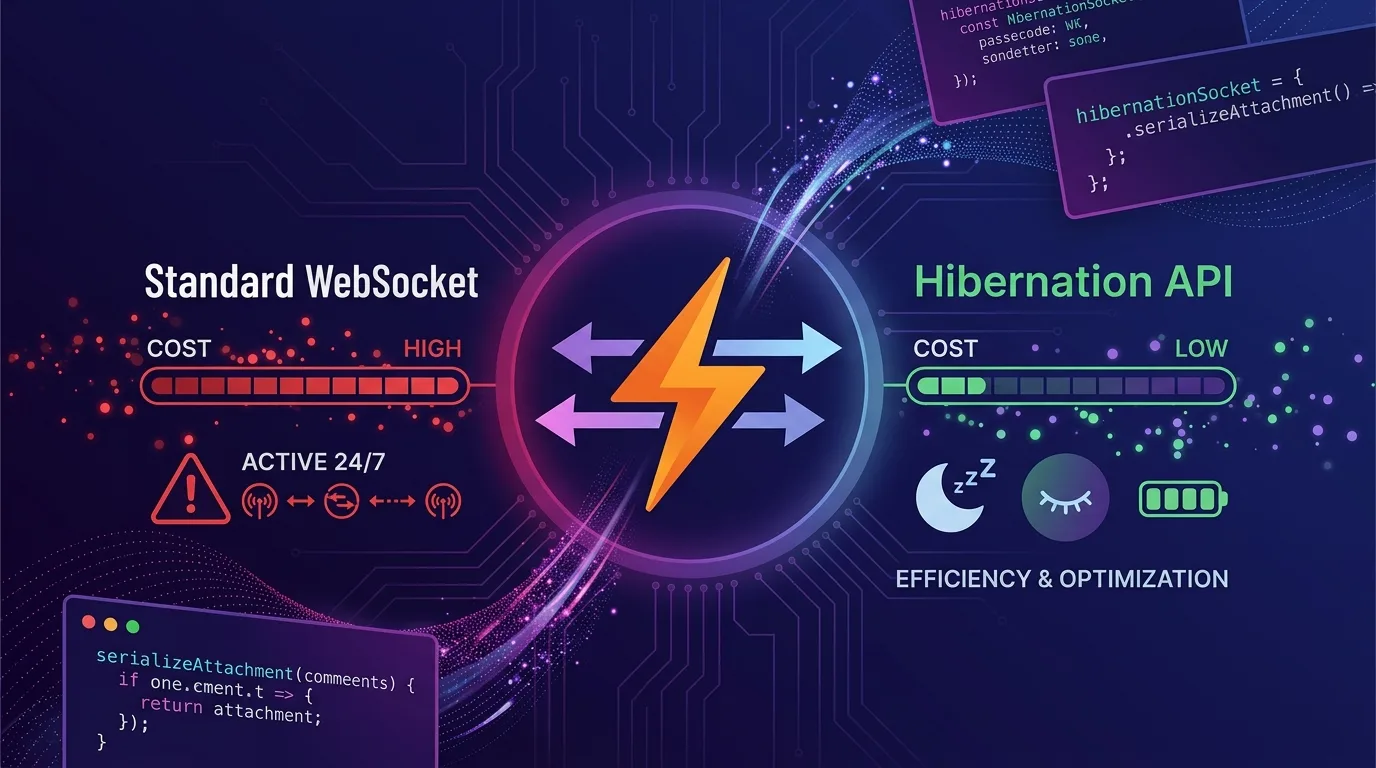
The root cause is the GB-seconds billing model. When using the standard WebSocket API, even if clients just stay connected without sending any messages, the DO remains alive in memory and continues to bill you for that entire duration. If 100 users join a chat room and only send messages occasionally, the DO stays active 24/7.
The Hibernation API is the solution to this problem. It allows the DO to be evicted from memory while client connections remain open. When a new message arrives, it automatically wakes up to process it and goes back to sleep. You are billed only for the time code is actually executing.
In this article, we cover the differences between standard WebSocket DO and the Hibernation API, a complete real-time chat implementation, state management with serializeAttachment, and a detailed cost simulation.
Understanding DO Billing Structure
Before using the Hibernation API, you need to understand the exact billing structure.
| Billing Item | Description | Unit Price |
|---|---|---|
| Requests | HTTP requests, RPC sessions, WebSocket messages | $0.15 per 1 million |
| Compute Duration | Time DO is in memory × 128MB | $12.50 per GB-s |
| Storage | SQLite read/write, KV storage | Billed separately |
Key Rule: WebSocket messages are billed at a 20:1 ratio. 100 incoming WebSocket messages = 5 billed requests.
The Problem: Duration billing explodes. A DO remains in memory for at least 10 seconds after the last event, and standard WebSockets constantly reset this timer.
Cost Simulation: Standard WebSockets
Assuming 100 chat rooms × 50 concurrent users each, active 8 hours per day, over one month:
Duration: 100 rooms × 1 DO × 128MB × 8h × 30d
= 100 × 0.128GB × 8h × 30d × 3600s/h
= 11,059,200 GB-s

Cost: 11,059,200 × $12.50 / 1,000,000
≈ $138/month (Duration only)
With Hibernation API: If there are no messages, the DO goes to sleep after 10 seconds. Actual message processing time is typically 1-5% of total connection time.
Assuming 2% active time:
11,059,200 × 0.02 = 221,184 GB-s
Cost: 221,184 × $12.50 / 1,000,000
≈ $2.76/month (Duration)
A 98% reduction in Duration costs for the exact same traffic.
Standard WebSockets vs. Hibernation API Comparison
Standard WebSockets (Problematic Pattern)
// src/chat-room.ts — Standard WebSockets (Cost Explosion)
export class ChatRoom implements DurableObject {
  private sessions: Map<WebSocket, { userId: string; username: string }> = new Map();
  private state: DurableObjectState;

  constructor(state: DurableObjectState, env: Env) {
    this.state = state;
  }

  async fetch(request: Request): Promise<Response> {
    const upgradeHeader = request.headers.get("Upgrade");
    if (!upgradeHeader || upgradeHeader !== "websocket") {
      return new Response("Expected WebSocket", { status: 426 });
    }

    const [client, server] = Object.values(new WebSocketPair());

    // Issue: server.accept() forces the DO to stay active indefinitely
    server.accept();

    server.addEventListener("message", (event) => {
      this.handleMessage(server, event.data);
    });

    server.addEventListener("close", () => {
      this.sessions.delete(server);
    });

    const userId = new URL(request.url).searchParams.get("userId") ?? "anonymous";
    this.sessions.set(server, { userId, username: userId });

    return new Response(null, { status: 101, webSocket: client });
  }

  private handleMessage(sender: WebSocket, message: string | ArrayBuffer) {
    // Broadcast to all sessions
    const data = JSON.parse(message as string);
    this.sessions.forEach((info, ws) => {
      if (ws !== sender && ws.readyState === WebSocket.READY_STATE_OPEN) {
        ws.send(JSON.stringify({ ...data, from: info.userId }));
      }
    });
  }
}
What’s wrong with this code: When you use server.accept(), the DO never hibernates. Because this.sessions is an in-memory Map, all connected sessions remain pinned in memory at all times.
Hibernation API (Correct Pattern)
// src/chat-room-hibernation.ts — Hibernation API
export class ChatRoom implements DurableObject {
  private state: DurableObjectState;
  private env: Env;

  constructor(state: DurableObjectState, env: Env) {
    this.state = state;
    this.env = env;
  }

  async fetch(request: Request): Promise<Response> {
    const upgradeHeader = request.headers.get("Upgrade");
    if (!upgradeHeader || upgradeHeader !== "websocket") {
      return new Response("Expected WebSocket", { status: 426 });
    }

    const url = new URL(request.url);
    const userId = url.searchParams.get("userId") ?? crypto.randomUUID();
    const username = url.searchParams.get("username") ?? "Anonymous";
    const roomId = url.searchParams.get("roomId") ?? "default";

    const [client, server] = Object.values(new WebSocketPair());

    // Key difference: ctx.acceptWebSocket() enables Hibernation
    this.state.acceptWebSocket(server);

    // serializeAttachment: Attach metadata to this WebSocket socket
    // Persists per socket even after hibernating
    server.serializeAttachment({ userId, username, roomId });

    // Broadcast join message
    this.broadcast(server, {
      type: "system",
      message: `${username} has joined the room`,
      timestamp: Date.now(),
    });

    return new Response(null, { status: 101, webSocket: client });
  }

  // Hibernation API event handler: Declared as regular instance method
  async webSocketMessage(ws: WebSocket, message: string | ArrayBuffer): Promise<void> {
    // deserializeAttachment: Restore attached data when waking from hibernation
    const { userId, username, roomId } = ws.deserializeAttachment() as {
      userId: string;
      username: string;
      roomId: string;
    };

    let data: any;
    try {
      data = JSON.parse(message as string);
    } catch {
      ws.send(JSON.stringify({ type: "error", message: "Invalid JSON" }));
      return;
    }

    // Process chat message
    if (data.type === "message") {
      const chatMessage = {
        type: "message",
        userId,
        username,
        content: data.content,
        timestamp: Date.now(),
        id: crypto.randomUUID(),
      };

      // Save history (DO built-in SQLite)
      await this.state.storage.put(`msg:${chatMessage.id}`, chatMessage);

      // Broadcast to all room participants
      this.broadcast(ws, chatMessage);
    }
  }

  // WebSocket close handler
  async webSocketClose(ws: WebSocket, code: number, reason: string): Promise<void> {
    const { username, roomId } = ws.deserializeAttachment() as {
      username: string;
      roomId: string;
    };

    this.broadcast(ws, {
      type: "system",
      message: `${username} has left the room`,
      timestamp: Date.now(),
    });
  }

  // WebSocket error handler
  async webSocketError(ws: WebSocket, error: unknown): Promise<void> {
    console.error("WebSocket error:", error);
    ws.close(1011, "Internal Error");
  }

  // Broadcast to all WebSockets in current room
  private broadcast(sender: WebSocket, data: object): void {
    const message = JSON.stringify(data);
    const senderAttachment = sender.deserializeAttachment() as { roomId: string };

    // getWebSockets(): Returns all currently connected sockets even while hibernating
    for (const ws of this.state.getWebSockets()) {
      const attachment = ws.deserializeAttachment() as { roomId: string };
      // Send only to sockets in the same room (excluding sender)
      if (ws !== sender && attachment.roomId === senderAttachment.roomId) {
        try {
          ws.send(message);
        } catch {
          // Ignore closed sockets
        }
      }
    }
  }
}
Core Concepts of the Hibernation API
ctx.acceptWebSocket() vs. server.accept()
server.accept() |
ctx.acceptWebSocket() |
|
|---|---|---|
| Supports Hibernation | ❌ No | ✅ Yes |
| Event Handlers | addEventListener |
webSocketMessage method |
| Session Management | In-memory Map | getWebSockets() |
| State Persistence | Required in memory | serializeAttachment |
serializeAttachment / deserializeAttachment
Hibernation completely removes the DO from memory. When a new message arrives, a fresh instance is created. Therefore, you must attach any required metadata to each individual WebSocket socket:
// Attach metadata (Automatically serialized before hibernation)
server.serializeAttachment({
  userId: "user-123",
  username: "Alice",
  roomId: "room-general",
  joinedAt: Date.now(),
  permissions: ["read", "write"],
});

// Restore metadata (When waking up after hibernation)
async webSocketMessage(ws: WebSocket, message: string): Promise<void> {
  const state = ws.deserializeAttachment() as {
    userId: string;
    username: string;
    roomId: string;
    joinedAt: number;
    permissions: string[];
  };

  // Safe to use state.userId, state.username, etc.
}
Important Note: Data in serializeAttachment must be JSON-serializable. Functions, class instances, and circular references cannot be stored.
getWebSockets() — Querying Currently Connected Sockets
// Query connected user count per room
getConnectedUsers(roomId: string): number {
  return this.state.getWebSockets()
    .filter(ws => {
      const att = ws.deserializeAttachment() as { roomId: string };
      return att.roomId === roomId;
    })
    .length;
}

// Send message to a specific user
sendToUser(targetUserId: string, data: object): void {
  for (const ws of this.state.getWebSockets()) {
    const { userId } = ws.deserializeAttachment() as { userId: string };
    if (userId === targetUserId) {
      ws.send(JSON.stringify(data));
      break;
    }
  }
}
Complete Chat Application Implementation
Workers Entry Point
// src/index.ts
import { Hono } from "hono";
import { ChatRoom } from "./chat-room-hibernation";

type Env = {
  CHAT_ROOM: DurableObjectNamespace;
};

const app = new Hono<{ Bindings: Env }>();

// WebSocket upgrade handler
app.get("/ws", async (c) => {
  const roomId = c.req.query("roomId") ?? "general";
  const userId = c.req.query("userId") ?? crypto.randomUUID();
  const username = c.req.query("username") ?? "Anonymous";

  // Select DO instance based on room ID (1 DO per room)
  const id = c.env.CHAT_ROOM.idFromName(roomId);
  const room = c.env.CHAT_ROOM.get(id);

  // Forward request to DO
  return room.fetch(c.req.raw);
});

// Room info query API
app.get("/rooms/:roomId/info", async (c) => {
  const roomId = c.req.param("roomId");
  const id = c.env.CHAT_ROOM.idFromName(roomId);
  const room = c.env.CHAT_ROOM.get(id);
  return room.fetch(
    new Request(`https://internal/info?roomId=${roomId}`)
  );
});

export default app;
export { ChatRoom };
wrangler.jsonc Configuration
// wrangler.jsonc
{
  "name": "realtime-chat",
  "main": "src/index.ts",
  "compatibility_date": "2025-01-01",
  "compatibility_flags": ["nodejs_compat"],

  "durable_objects": {
    "bindings": [
      {
        "name": "CHAT_ROOM",
        "class_name": "ChatRoom"
      }
    ]
  },

  "migrations": [
    {
      "tag": "v1",
      "new_classes": ["ChatRoom"]
    }
  ],

  // Enable OTel tracing as well (Cost monitoring)
  "observability": {
    "traces": {
      "enabled": true,
      "head_sampling_rate": 0.1
    }
  }
}
Client Implementation (Hono + Vanilla JS)
// public/client.ts
class ChatClient {
  private ws: WebSocket | null = null;
  private reconnectAttempts = 0;
  private maxReconnects = 5;

  connect(roomId: string, userId: string, username: string): void {
    const url = new URL("/ws", window.location.href);
    url.protocol = url.protocol.replace("http", "ws");
    url.searchParams.set("roomId", roomId);
    url.searchParams.set("userId", userId);
    url.searchParams.set("username", username);

    this.ws = new WebSocket(url.toString());

    this.ws.addEventListener("open", () => {
      console.log("Connected to chat room");
      this.reconnectAttempts = 0;
    });

    this.ws.addEventListener("message", (event) => {
      const data = JSON.parse(event.data);
      this.onMessage(data);
    });

    this.ws.addEventListener("close", (event) => {
      console.log(`Disconnected: ${event.code} ${event.reason}`);
      // Automatic reconnection (Exponential backoff)
      if (this.reconnectAttempts < this.maxReconnects) {
        const delay = Math.min(1000 * 2 ** this.reconnectAttempts, 30000);
        setTimeout(() => {
          this.reconnectAttempts++;
          this.connect(roomId, userId, username);
        }, delay);
      }
    });
  }

  sendMessage(content: string): void {
    if (this.ws?.readyState === WebSocket.OPEN) {
      this.ws.send(JSON.stringify({ type: "message", content }));
    }
  }

  private onMessage(data: any): void {
    // UI update logic
    const event = new CustomEvent("chat-message", { detail: data });
    window.dispatchEvent(event);
  }

  disconnect(): void {
    this.ws?.close(1000, "User disconnected");
  }
}

export const chatClient = new ChatClient();
History Management: DO Built-in Storage
To retain chat history across hibernations, use the Durable Object’s persistent storage:
// Save and fetch chat history
export class ChatRoom implements DurableObject {
  // Save message
  private async saveMessage(msg: ChatMessage): Promise<void> {
    // DO built-in SQLite (Alpha): Allows structured queries
    await this.state.storage.put(`msg:${msg.timestamp}:${msg.id}`, msg);

    // Keep only the latest 100 messages (Cost reduction)
    const allKeys = await this.state.storage.list({ prefix: "msg:", limit: 200 });
    if (allKeys.size > 100) {
      // Delete older messages
      const keysToDelete = [...allKeys.keys()].slice(0, allKeys.size - 100);
      await this.state.storage.delete(keysToDelete);
    }
  }

  // Send recent history to new connection
  private async sendHistory(ws: WebSocket): Promise<void> {
    const history = await this.state.storage.list({
      prefix: "msg:",
      limit: 50,
      reverse: true,  // Newest first
    });

    const messages = [...history.values()].reverse();
    ws.send(JSON.stringify({ type: "history", messages }));
  }
}
Alarm API: Automatic Cleanup of Inactive Rooms
Periodically cleaning up DO instances for inactive chat rooms also saves storage costs:
export class ChatRoom implements DurableObject {
  constructor(state: DurableObjectState, env: Env) {
    this.state = state;
    // Set Alarm: Check inactivity after 24 hours
    this.state.storage.setAlarm(Date.now() + 24 * 60 * 60 * 1000);
  }

  // Invoked when Alarm fires
  async alarm(): Promise<void> {
    const activeConnections = this.state.getWebSockets().length;

    if (activeConnections === 0) {
      // If no active connections, clean up old messages
      const cutoff = Date.now() - 7 * 24 * 60 * 60 * 1000; // 7 days ago
      const allMsgs = await this.state.storage.list({ prefix: "msg:" });

      const toDelete: string[] = [];
      for (const [key, value] of allMsgs) {
        const msg = value as ChatMessage;
        if (msg.timestamp < cutoff) {
          toDelete.push(key);
        }
      }

      if (toDelete.length > 0) {
        await this.state.storage.delete(toDelete);
        console.log(`Cleaned ${toDelete.length} old messages`);
      }
    }

    // Schedule next Alarm
    await this.state.storage.setAlarm(Date.now() + 24 * 60 * 60 * 1000);
  }
}
Cost Optimization Checklist
A checklist of optimizations to apply in production:
Enable Hibernation:
- Migrate from
server.accept()tothis.state.acceptWebSocket(server) - Switch event listeners to
webSocketMessage,webSocketClose, andwebSocketErrormethods - Replace
Map<WebSocket, data>withserializeAttachment/deserializeAttachment - Remove
this.sessionsin-memory storage
Optimize WebSocket Messages:
- Eliminate unnecessary ping/pong messages (client → server direction)
- Remove server-side heartbeats, as Cloudflare handles pings automatically
- Batch messages to reduce total request counts
Reduce Storage Costs:
- Set a cap on message history (100–200 items)
- Automatically clean up inactive rooms using the Alarm API
- Store large payloads in R2, keeping only reference IDs inside DO
Monitoring:
- Review DO Duration metrics weekly in the Cloudflare Dashboard
- Measure active execution time using OTel (Active Duration / Total Connection Time ratio)
- Collect per-room connected user count metrics
Troubleshooting: When Hibernation Fails
Symptom: Duration Cost Remains High
Cause 1: Used server.accept() instead of ctx.acceptWebSocket()
Cause 2: Executed long-running asynchronous tasks inside the webSocketMessage handler
Cause 3: Timers or recurring loops exist that hold the DO event loop
// ❌ Anti-pattern: setInterval keeps the DO awake
constructor(state: DurableObjectState) {
  this.state = state;
  setInterval(() => this.cleanup(), 60000); // Prevents hibernation
}

// ✅ Correct pattern: Use Alarm API
constructor(state: DurableObjectState) {
  this.state = state;
  // Avoid heavy work in constructor
}

async fetch(request: Request): Promise<Response> {
  // Set Alarm only on first connection
  const alarmTime = await this.state.storage.getAlarm();
  if (!alarmTime) {
    await this.state.storage.setAlarm(Date.now() + 60000);
  }
  // ...
}
Symptom: deserializeAttachment Error After Hibernation
Cause: serializeAttachment contains values that cannot be serialized to JSON
Solution: Attach only pure JSON-compatible objects
// ❌ Non-serializable
server.serializeAttachment({
  userId: "user-123",
  handler: () => {}, // Functions cannot be serialized
  socket: server,   // Circular reference
});

// ✅ Serializable
server.serializeAttachment({
  userId: "user-123",
  username: "Alice",
  roomId: "general",
  permissions: ["read", "write"],
  joinedAt: Date.now(), // Numbers, strings, arrays only
});
Conclusion
Cloudflare Durable Objects are the premier edge runtime for real-time WebSocket applications. However, without understanding the difference between standard WebSockets and the Hibernation API, your costs will explode.
Key transitions:
| Before | After | Impact |
|---|---|---|
server.accept() |
ctx.acceptWebSocket() |
Enables Hibernation |
Map<WebSocket, data> |
serializeAttachment |
Removes in-memory state |
addEventListener |
webSocketMessage method |
Switches to DO event model |
setInterval |
Alarm API | Slashes periodic task costs |
Making these four pattern changes alone cuts Duration billing by 95% to 99%. If clients stay connected with no active chat, the DO hibernates; when a message arrives, it wakes up, processes it, and goes back to sleep.
In a production app handling millions of monthly WebSocket connections, this difference amounts to saving hundreds of dollars every month.
Related article: Check out Cloudflare Workers OpenTelemetry: Cut Observability Costs 90% to learn how to configure distributed tracing across your entire system, including Durable Objects.